
<?xml version="1.0" encoding="iso-8859-1"?><rss version="2.0">
  <channel>
    <title><![CDATA[THE BEST KEYBOARD STICKERS]]></title> 
    <link><![CDATA[http://www.4keyboard.com/]]></link> 
    <description><![CDATA[THE BEST KEYBOARD STICKERS - ::www.4keyboard.com::]]></description> 
    <language><![CDATA[en]]></language>
    <lastBuildDate><![CDATA[Wed, 14 May 2008 07:08:27 -0400]]></lastBuildDate>
    <generator><![CDATA[Zen-Cart 1.2.x RSS 2.0 Generator by Maurycy Czerwieniec]]></generator>
    <copyright><![CDATA[Copyright (C) 2004 Arkadiy Zemlyak]]></copyright>
    <managingEditor><![CDATA[sticker@4keyboard.com (Arkadiy Zemlyak)]]></managingEditor>
    <ttl><![CDATA[1440]]></ttl>
    <pubDate><![CDATA[Mon, 21 Apr 2008 22:44:29 -0400]]></pubDate>
  <item>
    <title><![CDATA[Russian transparent keyboard stickers]]></title>
    <guid>http://www.4keyboard.com/index.php?main_page=product_info&amp;products_id=99</guid>
    <link>http://www.4keyboard.com/index.php?main_page=product_info&amp;products_id=99&amp;language=en</link>
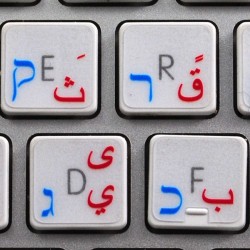
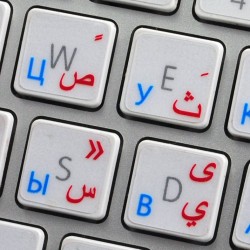
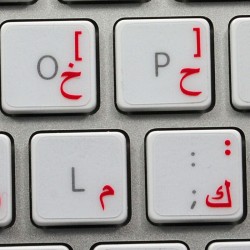
    <description><![CDATA[<P align=left><FONT face=Arial size=3>High-quality stickers for different keyboards Desktop, Laptop and Notebook such as: <STRONG>Sony, Toshiba, HP, Dell, Compaq, Panasonic, Acer, Gateway, Sharp, eMachines, Ashton Digital's Passport, Averatec, Systemax, IBM, Lenovo, NEC, Alienware, AST, Asus, Samsung, Cybertron, Apple, Macintosh Computers, Power Mac, Apple iBook, Apple PowerBook, Apple iMac etc.</STRONG><BR>The Russian Cyrillic Alphabet is spread onto transparent - matt sticker, with one of the following colours (red, white, yellow, blue or green) which are suitable for all kind of keyboards, no matter what colour and hue they are.</FONT><BR>
<P align=left><FONT face=Arial size=3><STRONG>Stickers are made of high-quality transparent - matt vinyl</STRONG>, thickness - 80mkn, typographical method.<BR>Applying stickers on you keyboard properly once, and you can be aware that letters will stay for ever.</FONT></P><!-- Insert Table with keys -->
<P align=center>
<TABLE cellSpacing=2 cellPadding=2 align=center border=2>
<TBODY>
<TR>
<TD><IMG src="http://4keyboard.com/images/stickers/rus/1.jpg" border=0></TD>
<TD><IMG src="http://4keyboard.com/images/stickers/rus/2.jpg" border=0></TD></TR>
<TR>
<TD><IMG src="http://4keyboard.com/images/stickers/rus/3.jpg" border=0></TD>
<TD><IMG src="http://4keyboard.com/images/stickers/rus/4.jpg" border=0></TD></TR>
<TR>
<TD><IMG src="http://4keyboard.com/images/stickers/rus/5.jpg" border=0></TD>
<TD><IMG src="http://4keyboard.com/images/stickers/rus/6.jpg" border=0></TD></TR></TBODY></TABLE><!-- End Table with keys --></P>
<P align=left><FONT face=Arial size=3><STRONG>Transparency and matt</STRONG> hue of the stickers is suitable for all kind of keyboards in spite of their colour. It guarantees complete absence of glare under different angels of lighting. </FONT>
<P align=left><FONT face=Arial size=3><STRONG>Clear transparent background</STRONG> makes stickers invisible, and allows existing characters to show through.</FONT> 
<P align=center><A href="http://4keyboard.com/images/stickers/rus/stickerrus_maket.jpg" target=_blank border="0"><IMG alt="Click to enlarge" src="http://4keyboard.com/images/stickers/rus/stickerrus_maket_s.jpg" align=center border=0></A></P>
<P align=left><FONT face=Arial size=3>You do not have to think how to apply Stickers. <STRONG>You'll know it intuitively.</STRONG> English letters located underneath each sticker - will accurately indicate buttons on with you will apply corresponding stickers. Applying possess doesn't take more than 10-15min. And you can immediately enjoy your brand-new Russian Cyrillic - English keyboard when making contacts with your relatives, friends and acquaintances. 
<P></FONT>
<P align=left><FONT face=Arial size=3>What you're offered now is high-quality stickers, intended to simplify you work and enjoy it while doing it on computer.
<P></FONT>
<P align=left><FONT face=Arial color=red size=3><B>OUR MOTTO IS - QUALITY!</B></FONT>]]></description>
    <pubDate><![CDATA[Thu, 27 Jul 2006 22:32:47 -0400]]></pubDate>
    <author><![CDATA[sticker@4keyboard.com (Arkadiy Zemlyak)]]></author>
  </item>
  <item>
    <title><![CDATA[Arabic transparent keyboard stickers]]></title>
    <guid>http://www.4keyboard.com/index.php?main_page=product_info&amp;products_id=100</guid>
    <link>http://www.4keyboard.com/index.php?main_page=product_info&amp;products_id=100&amp;language=en</link>
    <description><![CDATA[<p align="left"><font face="Arial" size="3">High-quality stickers for different keyboards Desktop, Laptop and Notebook such as: <strong>Sony, Toshiba, HP, Dell, Compaq, Panasonic, Acer, Gateway, Sharp, eMachines, Ashton Digital's Passport, Averatec, Systemax, IBM, Lenovo, NEC, Alienware, AST, Asus, Samsung, Cybertron, Apple, Macintosh Computers, Power Mac, Apple iBook, Apple PowerBook, Apple iMac ? etc.</strong><br />The Arabic Alphabet is spread onto transparent - matt sticker, with one of the following colours (red, white, yellow, blue, black or green) which are suitable for all kind of keyboards, no matter what colour and hue they are.</font><br /></p><p align="left"><font face="Arial" size="3"><strong>Stickers are made of high-quality transparent - matt vinyl</strong>, thickness - 80mkn, typographical method.<br />Applying stickers on you keyboard properly once, and you can be aware that letters will stay for ever.</font></p><!-- Insert Table with keys --><p align="center"><table cellspacing="2" cellpadding="2" align="center" border="2"><tbody><tr><td><img alt="Arabic keyboard stickers" src="http://4keyboard.com/images/stickers/arabic/1.jpg" border="0" /></td><td><img alt="Arabic keyboard stickers" src="http://4keyboard.com/images/stickers/arabic/2.jpg" border="0" /></td></tr><tr><td><img alt="Arabic keyboard stickers" src="http://4keyboard.com/images/stickers/arabic/3.jpg" border="0" /></td><td><img alt="Arabic keyboard stickers" src="http://4keyboard.com/images/stickers/arabic/4.jpg" border="0" /></td></tr><tr><td><img alt="Arabic keyboard stickers" src="http://4keyboard.com/images/stickers/arabic/5.jpg" border="0" /></td><td><img alt="Arabic keyboard stickers" src="http://4keyboard.com/images/stickers/arabic/6.jpg" border="0" /></td></tr></tbody></table><!-- End Table with keys --></p><p align="left"><font face="Arial" size="3"><strong>Transparency and matt</strong> hue of the stickers is suitable for all kind of keyboards in spite of their colour. It guarantees complete absence of glare under different angels of lighting. </font></p><p align="left"><font face="Arial" size="3"><strong>Clear transparent background</strong> makes stickers invisible, and allows existing characters to show through.</font> </p><p align="center"><a href="http://4keyboard.com/images/stickers/arabic/stickerarabic_maket.jpg" target="_blank" border="0" alt="Arabic keyboard stickers"><img alt="Click to enlarge Arabic keyboard stickers" src="http://4keyboard.com/images/stickers/arabic/stickerarabic_maket_s.jpg" align="center" border="0" /></a></p><p align="left"><font face="Arial" size="3">You do not have to think how to apply Stickers. <strong>You'll know it intuitively.</strong> English letters located underneath each sticker - will accurately indicate buttons on with you will apply corresponding stickers. Applying possess doesn't take more than 10-15min. And you can immediately enjoy your brand-new Arabic-English keyboard when making contacts with your relatives, friends and acquaintances. </font></p><p /><p align="left"><font face="Arial" size="3">What you're offered now is high-quality stickers, intended to simplify you work and enjoy it while doing it on computer. </font></p><p /><p align="left"><font face="Arial" color="#ff0000" size="3"><b>OUR MOTTO IS - QUALITY!</b></font> </p>]]></description>
    <pubDate><![CDATA[Thu, 27 Jul 2006 22:36:03 -0400]]></pubDate>
    <author><![CDATA[sticker@4keyboard.com (Arkadiy Zemlyak)]]></author>
  </item>
  <item>
    <title><![CDATA[Armenian transparent keyboard stickers]]></title>
    <guid>http://www.4keyboard.com/index.php?main_page=product_info&amp;products_id=101</guid>
    <link>http://www.4keyboard.com/index.php?main_page=product_info&amp;products_id=101&amp;language=en</link>
    <description><![CDATA[<p align="left"><font face="Arial" size="3">High-quality stickers for different keyboards Desktop, Laptop and Notebook such as: <strong>Sony, Toshiba, HP, Dell, Compaq, Panasonic, Acer, Gateway, Sharp, eMachines, Ashton Digital's Passport, Averatec, Systemax, IBM, Lenovo, NEC, Alienware, AST, Asus, Samsung, Cybertron, Apple, Macintosh Computers, Power Mac, Apple iBook, Apple PowerBook, Apple iMac ? etc.</strong><br />The Armenian Alphabet is spread onto transparent - matt sticker, with one of the following colours (red, blue, white or yellow) which are suitable for all kind of keyboards, no matter what colour and hue they are.</font><br /></p><p align="left"><font face="Arial" size="3"><strong>Stickers are made of high-quality transparent - matt vinyl</strong>, thickness - 80mkn, typographical method.<br />Applying stickers on you keyboard properly once, and you can be aware that letters will stay for ever.</font></p><!-- Insert Table with keys --><p align="center"><table cellspacing="2" cellpadding="2" align="center" border="2"><tbody><tr><td><img alt="Armenian keyboard stickers" src="http://4keyboard.com/images/stickers/armen/1.jpg" border="0" /></td><td><img alt="Armenian keyboard stickers" src="http://4keyboard.com/images/stickers/armen/2.jpg" border="0" /></td></tr><tr><td><img alt="Armenian keyboard stickers" src="http://4keyboard.com/images/stickers/armen/3.jpg" border="0" /></td><td><img alt="Armenian keyboard stickers" src="http://4keyboard.com/images/stickers/armen/4.jpg" border="0" /></td></tr><tr><td><img alt="Armenian keyboard stickers" src="http://4keyboard.com/images/stickers/armen/5.jpg" border="0" /></td><td><img alt="Armenian keyboard stickers" src="http://4keyboard.com/images/stickers/armen/6.jpg" border="0" /></td></tr></tbody></table><!-- End Table with keys --></p><p align="left"><font face="Arial" size="3"><strong>Transparency and matt</strong> hue of the stickers is suitable for all kind of keyboards in spite of their colour. It guarantees complete absence of glare under different angels of lighting. </font></p><p align="left"><font face="Arial" size="3"><strong>Clear transparent background</strong> makes stickers invisible, and allows existing characters to show through.</font> </p><p align="center"><a href="http://4keyboard.com/images/stickers/armen/stickerarmen_maket.jpg" target="_blank" border="0" alt="Armenian keyboard stickers"><img alt="Click to enlarge Armenian keyboard stickers" src="http://4keyboard.com/images/stickers/armen/stickerarmen_maket_s.jpg" align="center" border="0" /></a></p><p align="left"><font face="Arial" size="3">You do not have to think how to apply Stickers. <strong>You'll know it intuitively.</strong> English letters located underneath each sticker - will accurately indicate buttons on with you will apply corresponding stickers. Applying possess doesn't take more than 10-15min. And you can immediately enjoy your brand-new Armenian-English keyboard when making contacts with your relatives, friends and acquaintances. </font></p><p /><p align="left"><font face="Arial" size="3">What you're offered now is high-quality stickers, intended to simplify you work and enjoy it while doing it on computer. </font></p><p /><p align="left"><font face="Arial" color="#ff0000" size="3"><b>OUR MOTTO IS - QUALITY!</b></font> </p>]]></description>
    <pubDate><![CDATA[Fri, 28 Jul 2006 07:01:10 -0400]]></pubDate>
    <author><![CDATA[sticker@4keyboard.com (Arkadiy Zemlyak)]]></author>
  </item>
  <item>
    <title><![CDATA[Bulgarian transparent keyboard stickers]]></title>
    <guid>http://www.4keyboard.com/index.php?main_page=product_info&amp;products_id=102</guid>
    <link>http://www.4keyboard.com/index.php?main_page=product_info&amp;products_id=102&amp;language=en</link>
    <description><![CDATA[<p align="left"><font face="Arial" size="3">High-quality stickers for different keyboards Desktop, Laptop and Notebook such as: <strong>Sony, Toshiba, HP, Dell, Compaq, Panasonic, Acer, Gateway, Sharp, eMachines, Ashton Digital's Passport, Averatec, Systemax, IBM, Lenovo, NEC, Alienware, AST, Asus, Samsung, Cybertron, Apple, Macintosh Computers, Power Mac, Apple iBook, Apple PowerBook, Apple iMac ? etc.</strong><br />The Bulgarian Alphabet is spread onto transparent - matt sticker, with one of the following colours (red, blue or yellow) which are suitable for all kind of keyboards, no matter what colour and hue they are.</font><br /></p><p align="left"><font face="Arial" size="3"><strong>Stickers are made of high-quality transparent - matt vinyl</strong>, thickness - 80mkn, typographical method.<br />Applying stickers on you keyboard properly once, and you can be aware that letters will stay for ever.</font></p><!-- Insert Table with keys --><p align="center"><table cellspacing="2" cellpadding="2" align="center" border="2"><tbody><tr><td><img alt="Bulgarian keyboard stickers" src="http://4keyboard.com/images/stickers/bulgarian/1.jpg" border="0" /></td><td><img alt="Bulgarian keyboard stickers" src="http://4keyboard.com/images/stickers/bulgarian/2.jpg" border="0" /></td></tr><tr><td><img alt="Bulgarian keyboard stickers" src="http://4keyboard.com/images/stickers/bulgarian/3.jpg" border="0" /></td><td><img alt="Bulgarian keyboard stickers" src="http://4keyboard.com/images/stickers/bulgarian/4.jpg" border="0" /></td></tr><tr><td><img alt="Bulgarian keyboard stickers" src="http://4keyboard.com/images/stickers/bulgarian/5.jpg" border="0" /></td><td><img alt="Bulgarian keyboard stickers" src="http://4keyboard.com/images/stickers/bulgarian/6.jpg" border="0" /></td></tr></tbody></table><!-- End Table with keys --></p><p align="left"><font face="Arial" size="3"><strong>Transparency and matt</strong> hue of the stickers is suitable for all kind of keyboards in spite of their colour. It guarantees complete absence of glare under different angels of lighting. </font></p><p align="left"><font face="Arial" size="3"><strong>Clear transparent background</strong> makes stickers invisible, and allows existing characters to show through.</font> </p><p align="center"><a href="http://4keyboard.com/images/stickers/bulgarian/stickerbulgarian_maket.jpg" target="_blank" border="0"><img alt="Click to enlarge Bulgarian keyboard stickers" src="http://4keyboard.com/images/stickers/bulgarian/stickerbulgarian_maket_s.jpg" align="center" border="0" /></a></p><p align="left"><font face="Arial" size="3">You do not have to think how to apply Stickers. <strong>You'll know it intuitively.</strong> English letters located underneath each sticker - will accurately indicate buttons on with you will apply corresponding stickers. Applying possess doesn't take more than 10-15min. And you can immediately enjoy your brand-new Bulgaria-English keyboard when making contacts with your relatives, friends and acquaintances. </font></p><p /><p align="left"><font face="Arial" size="3">What you're offered now is high-quality stickers, intended to simplify you work and enjoy it while doing it on computer. </font></p><p /><p align="left"><font face="Arial" color="#ff0000" size="3"><b>OUR MOTTO IS - QUALITY!</b></font> </p>]]></description>
    <pubDate><![CDATA[Fri, 28 Jul 2006 07:11:33 -0400]]></pubDate>
    <author><![CDATA[sticker@4keyboard.com (Arkadiy Zemlyak)]]></author>
  </item>
  <item>
    <title><![CDATA[Chinese transparent keyboard stickers]]></title>
    <guid>http://www.4keyboard.com/index.php?main_page=product_info&amp;products_id=103</guid>
    <link>http://www.4keyboard.com/index.php?main_page=product_info&amp;products_id=103&amp;language=en</link>
    <description><![CDATA[<P align=left><FONT face=Arial size=3>High-quality stickers for different keyboards Desktop, Laptop and Notebook such as: <STRONG>Sony, Toshiba, HP, Dell, Compaq, Panasonic, Acer, Gateway, Sharp, eMachines, Ashton Digital's Passport, Averatec, Systemax, IBM, Lenovo, NEC, Alienware, AST, Asus, Samsung, Cybertron, Apple, Macintosh Computers, Power Mac, Apple iBook, Apple PowerBook, Apple iMac ? etc.</STRONG><BR>The Chinese Alphabet is spread onto transparent - matt sticker, with one of the following colours (red, white, yellow or blue) which are suitable for all kind of keyboards, no matter what colour and hue they are.</FONT><BR>
<P align=left><FONT face=Arial size=3><STRONG>Stickers are made of high-quality transparent - matt vinyl</STRONG>, thickness - 80mkn, typographical method.<BR>Applying stickers on you keyboard properly once, and you can be aware that letters will stay for ever.</FONT></P><!-- Insert Table with keys -->
<P align=center>
<TABLE cellSpacing=2 cellPadding=2 align=center border=2>
<TBODY>
<TR>
<TD><IMG src="http://4keyboard.com/images/stickers/chinese/1.jpg" border=0></TD>
<TD><IMG src="http://4keyboard.com/images/stickers/chinese/2.jpg" border=0></TD></TR>
<TR>
<TD><IMG src="http://4keyboard.com/images/stickers/chinese/3.jpg" border=0></TD>
<TD><IMG src="http://4keyboard.com/images/stickers/chinese/4.jpg" border=0></TD></TR>
<TR>
<TD><IMG src="http://4keyboard.com/images/stickers/chinese/5.jpg" border=0></TD>
<TD><IMG src="http://4keyboard.com/images/stickers/chinese/6.jpg" border=0></TD></TR></TBODY></TABLE><!-- End Table with keys --></P>
<P align=left><FONT face=Arial size=3><STRONG>Transparency and matt</STRONG> hue of the stickers is suitable for all kind of keyboards in spite of their colour. It guarantees complete absence of glare under different angels of lighting. </FONT>
<P align=left><FONT face=Arial size=3><STRONG>Clear transparent background</STRONG> makes stickers invisible, and allows existing characters to show through.</FONT> 
<P align=center><A href="http://4keyboard.com/images/stickers/chinese/stickerchinese_maket.jpg" target=_blank border="0"><IMG alt="Click to enlarge" src="http://4keyboard.com/images/stickers/chinese/stickerchinese_maket_s.jpg" align=center border=0></A></P>
<P align=left><FONT face=Arial size=3>You do not have to think how to apply Stickers. <STRONG>You'll know it intuitively.</STRONG> English letters located underneath each sticker - will accurately indicate buttons on with you will apply corresponding stickers. Applying possess doesn't take more than 10-15min. And you can immediately enjoy your brand-new Chinese-English keyboard when making contacts with your relatives, friends and acquaintances. 
<P></FONT>
<P align=left><FONT face=Arial size=3>What you're offered now is high-quality stickers, intended to simplify you work and enjoy it while doing it on computer. 
<P></FONT>
<P align=left><FONT face=Arial color=red size=3><B>OUR MOTTO IS - QUALITY!</B></FONT> </P>]]></description>
    <pubDate><![CDATA[Fri, 28 Jul 2006 07:14:31 -0400]]></pubDate>
    <author><![CDATA[sticker@4keyboard.com (Arkadiy Zemlyak)]]></author>
  </item>
  <item>
    <title><![CDATA[Czech transparent keyboard stickers]]></title>
    <guid>http://www.4keyboard.com/index.php?main_page=product_info&amp;products_id=104</guid>
    <link>http://www.4keyboard.com/index.php?main_page=product_info&amp;products_id=104&amp;language=en</link>
    <description><![CDATA[<p align="left"><font face="Arial" size="3">High-quality stickers for different keyboards Desktop, Laptop and Notebook such as: <strong>Sony, Toshiba, HP, Dell, Compaq, Panasonic, Acer, Gateway, Sharp, eMachines, Ashton Digital's Passport, Averatec, Systemax, IBM, Lenovo, NEC, Alienware, AST, Asus, Samsung, Cybertron, Apple, Macintosh Computers, Power Mac, Apple iBook, Apple PowerBook, Apple iMac ? etc.</strong><br />The Czech Alphabet is spread onto transparent - matt sticker, with one of the following colours (red or yellow) which are suitable for all kind of keyboards, no matter what colour and hue they are.</font><br /></p><p align="left"><font face="Arial" size="3"><strong>Stickers are made of high-quality transparent - matt vinyl</strong>, thickness - 80mkn, typographical method.<br />Applying stickers on you keyboard properly once, and you can be aware that letters will stay for ever.</font></p><!-- Insert Table with keys --><p align="center"><table cellspacing="2" cellpadding="2" align="center" border="2"><tbody><tr><td><img src="http://4keyboard.com/images/stickers/czech/1.jpg" border="0" /></td><td><img src="http://4keyboard.com/images/stickers/czech/2.jpg" border="0" /></td></tr><tr><td><img src="http://4keyboard.com/images/stickers/czech/3.jpg" border="0" /></td><td><img src="http://4keyboard.com/images/stickers/czech/4.jpg" border="0" /></td></tr><tr><td><img src="http://4keyboard.com/images/stickers/czech/5.jpg" border="0" /></td><td><img src="http://4keyboard.com/images/stickers/czech/6.jpg" border="0" /></td></tr></tbody></table><!-- End Table with keys --></p><p align="left"><font face="Arial" size="3"><strong>Transparency and matt</strong> hue of the stickers is suitable for all kind of keyboards in spite of their colour. It guarantees complete absence of glare under different angels of lighting. </font></p><p align="left"><font face="Arial" size="3"><strong>Clear transparent background</strong> makes stickers invisible, and allows existing characters to show through.</font> </p><p align="center"><a href="http://4keyboard.com/images/stickers/czech/stickerczech_maket.jpg" target="_blank" border="0"><img alt="Click to enlarge" src="http://4keyboard.com/images/stickers/czech/stickerczech_maket_s.jpg" align="center" border="0" /></a></p><p align="left"><font face="Arial" size="3">You do not have to think how to apply Stickers. <strong>You'll know it intuitively.</strong> English letters located underneath each sticker - will accurately indicate buttons on with you will apply corresponding stickers. Applying possess doesn't take more than 10-15min. And you can immediately enjoy your brand-new Czech-English keyboard when making contacts with your relatives, friends and acquaintances. </font></p><p /><p align="left"><font face="Arial" size="3">What you're offered now is high-quality stickers, intended to simplify you work and enjoy it while doing it on computer. </font></p><p /><p align="left"><font face="Arial" color="#ff0000" size="3"><b>OUR MOTTO IS - QUALITY!</b></font> </p>]]></description>
    <pubDate><![CDATA[Fri, 28 Jul 2006 07:17:09 -0400]]></pubDate>
    <author><![CDATA[sticker@4keyboard.com (Arkadiy Zemlyak)]]></author>
  </item>
  <item>
    <title><![CDATA[English US non-transparent keyboard stickers]]></title>
    <guid>http://www.4keyboard.com/index.php?main_page=product_info&amp;products_id=105</guid>
    <link>http://www.4keyboard.com/index.php?main_page=product_info&amp;products_id=105&amp;language=en</link>
    <description><![CDATA[<p align="left"><font face="Arial" size="3">High-quality stickers for different keyboards Desktop, Laptop and Notebook such as: <strong>Sony, Toshiba, HP, Dell, Compaq, Panasonic, Acer, Gateway, Sharp, eMachines, Ashton Digital's Passport, Averatec, Systemax, IBM, Lenovo, NEC, Alienware, AST, Asus, Samsung, Cybertron, Apple, Macintosh Computers, Power Mac, Apple iBook, Apple PowerBook, Apple iMac ? etc.</strong><br />The English US Alphabet is spread onto non-transparent - matt sticker, with one of the following colours (white, black) which are suitable for all kind of keyboards.</font><br /></p><p align="left"><font face="Arial" size="3"><strong>Stickers are made of high-quality non-transparent (black or white) - matt vinyl</strong>, thickness - 80mkn, typographical method.<br />Applying stickers on you keyboard properly once, and you can be aware that letters will stay for ever.</font></p><!-- Insert Table with keys --><p align="center"><table cellspacing="2" cellpadding="2" align="center" border="2"><tbody><tr><td><img src="http://4keyboard.com/images/stickers/engus/1.jpg" border="0" /></td><td><img src="http://4keyboard.com/images/stickers/engus/2.jpg" border="0" /></td></tr><tr><td><img src="http://4keyboard.com/images/stickers/engus/3.jpg" border="0" /></td><td><img src="http://4keyboard.com/images/stickers/engus/4.jpg" border="0" /></td></tr></tbody></table><!-- End Table with keys --></p><p align="left"><font face="Arial" size="3"><strong>Matt hue of the stickers guarantees complete absence of glare under different angels of lighting. </strong></font></p><p align="center"><a href="http://4keyboard.com/images/stickers/engus/stickerengus_maket.jpg" target="_blank" border="0"><img alt="Click to enlarge" src="http://4keyboard.com/images/stickers/engus/stickerengus_maket_s.jpg" align="center" border="0" /></a></p><p align="left"><font face="Arial" size="3">You do not have to think how to apply Stickers. <strong>You'll know it intuitively.</strong> English letters located underneath each sticker - will accurately indicate buttons on with you will apply corresponding stickers. Applying possess doesn't take more than 10-15min. And you can immediately enjoy your brand-new English US keyboard when making contacts with your relatives, friends and acquaintances. </font></p><p /><p align="left"><font face="Arial" size="3">What you're offered now is high-quality stickers, intended to simplify you work and enjoy it while doing it on computer. </font></p><p /><p align="left"><font face="Arial" color="#ff0000" size="3"><b>OUR MOTTO IS - QUALITY!</b></font> </p>]]></description>
    <pubDate><![CDATA[Fri, 28 Jul 2006 07:20:06 -0400]]></pubDate>
    <author><![CDATA[sticker@4keyboard.com (Arkadiy Zemlyak)]]></author>
  </item>
  <item>
    <title><![CDATA[English UK non-transparent keyboard stickers]]></title>
    <guid>http://www.4keyboard.com/index.php?main_page=product_info&amp;products_id=106</guid>
    <link>http://www.4keyboard.com/index.php?main_page=product_info&amp;products_id=106&amp;language=en</link>
    <description><![CDATA[<p align="left"><font face="Arial" size="3">High-quality stickers for different keyboards Desktop, Laptop and Notebook such as: <strong>Sony, Toshiba, HP, Dell, Compaq, Panasonic, Acer, Gateway, Sharp, eMachines, Ashton Digital's Passport, Averatec, Systemax, IBM, Lenovo, NEC, Alienware, AST, Asus, Samsung, Cybertron, Apple, Macintosh Computers, Power Mac, Apple iBook, Apple PowerBook, Apple iMac ? etc.</strong><br />The English UK Alphabet is spread onto non-transparent - matt sticker, with one of the following colours (white, black) which are suitable for all kind of keyboards.</font><br /></p><p align="left"><font face="Arial" size="3"><strong>Stickers are made of high-quality non-transparent (black or white) - matt vinyl</strong>, thickness - 80mkn, typographical method.<br />Applying stickers on you keyboard properly once, and you can be aware that letters will stay for ever.</font></p><!-- Insert Table with keys --><p align="center"><table cellspacing="2" cellpadding="2" align="center" border="2"><tbody><tr><td><img src="http://4keyboard.com/images/stickers/enguk/1.jpg" border="0" /></td><td><img src="http://4keyboard.com/images/stickers/enguk/2.jpg" border="0" /></td></tr><tr><td><img src="http://4keyboard.com/images/stickers/enguk/3.jpg" border="0" /></td><td><img src="http://4keyboard.com/images/stickers/enguk/4.jpg" border="0" /></td></tr></tbody></table><!-- End Table with keys --></p><p align="left"><font face="Arial" size="3"><strong>Matt hue of the stickers guarantees complete absence of glare under different angels of lighting. </strong></font></p><p align="center"><a href="http://4keyboard.com/images/stickers/enguk/stickerenguk_maket.jpg" target="_blank" border="0"><img alt="Click to enlarge" src="http://4keyboard.com/images/stickers/enguk/stickerenguk_maket_s.jpg" align="center" border="0" /></a></p><p align="left"><font face="Arial" size="3">You do not have to think how to apply Stickers. <strong>You'll know it intuitively.</strong> English letters located underneath each sticker - will accurately indicate buttons on with you will apply corresponding stickers. Applying possess doesn't take more than 10-15min. And you can immediately enjoy your brand-new English UK keyboard when making contacts with your relatives, friends and acquaintances. </font></p><p /><p align="left"><font face="Arial" size="3">What you're offered now is high-quality stickers, intended to simplify you work and enjoy it while doing it on computer. </font></p><p /><p align="left"><font face="Arial" color="#ff0000" size="3"><b>OUR MOTTO IS - QUALITY!</b></font> </p>]]></description>
    <pubDate><![CDATA[Fri, 28 Jul 2006 07:26:27 -0400]]></pubDate>
    <author><![CDATA[sticker@4keyboard.com (Arkadiy Zemlyak)]]></author>
  </item>
  <item>
    <title><![CDATA[Farsi (Persian) transparent keyboard stickers]]></title>
    <guid>http://www.4keyboard.com/index.php?main_page=product_info&amp;products_id=107</guid>
    <link>http://www.4keyboard.com/index.php?main_page=product_info&amp;products_id=107&amp;language=en</link>
    <description><![CDATA[<p align="left"><font face="Arial" size="3">High-quality stickers for different keyboards Desktop, Laptop and Notebook such as: <strong>Sony, Toshiba, HP, Dell, Compaq, Panasonic, Acer, Gateway, Sharp, eMachines, Ashton Digital's Passport, Averatec, Systemax, IBM, Lenovo, NEC, Alienware, AST, Asus, Samsung, Cybertron, Apple, Macintosh Computers, Power Mac, Apple iBook, Apple PowerBook, Apple iMac ? etc.</strong><br />The Farsi Alphabet is spread onto transparent - matt sticker, with one of the following colours (red, yellow and blue) which are suitable for all kind of keyboards, no matter what colour and hue they are.</font><br /></p><p align="left"><font face="Arial" size="3"><strong>Stickers are made of high-quality transparent - matt vinyl</strong>, thickness - 80mkn, typographical method.<br />Applying stickers on you keyboard properly once, and you can be aware that letters will stay for ever.</font></p><!-- Insert Table with keys --><p align="center"><table cellspacing="2" cellpadding="2" align="center" border="2"><tbody><tr><td><img src="http://4keyboard.com/images/stickers/farsi/1.jpg" border="0" /></td><td><img src="http://4keyboard.com/images/stickers/farsi/2.jpg" border="0" /></td></tr><tr><td><img src="http://4keyboard.com/images/stickers/farsi/3.jpg" border="0" /></td><td><img src="http://4keyboard.com/images/stickers/farsi/4.jpg" border="0" /></td></tr></tbody></table><!-- End Table with keys --></p><p align="left"><font face="Arial" size="3"><strong>Transparency and matt</strong> hue of the stickers is suitable for all kind of keyboards in spite of their colour. It guarantees complete absence of glare under different angels of lighting. </font></p><p align="left"><font face="Arial" size="3"><strong>Clear transparent background</strong> makes stickers invisible, and allows existing characters to show through.</font> </p><p align="center"><a href="http://4keyboard.com/images/stickers/farsi/stickerfarsi_maket.jpg" target="_blank" border="0"><img alt="Click to enlarge" src="http://4keyboard.com/images/stickers/farsi/stickerfarsi_maket_s.jpg" align="center" border="0" /></a></p><p align="left"><font face="Arial" size="3">You do not have to think how to apply Stickers. <strong>You'll know it intuitively.</strong> English letters located underneath each sticker - will accurately indicate buttons on with you will apply corresponding stickers. Applying possess doesn't take more than 10-15min. And you can immediately enjoy your brand-new Farsi-English keyboard when making contacts with your relatives, friends and acquaintances. </font></p><p /><p align="left"><font face="Arial" size="3">What you're offered now is high-quality stickers, intended to simplify you work and enjoy it while doing it on computer. </font></p><p /><p align="left"><font face="Arial" color="#ff0000" size="3"><b>OUR MOTTO IS - QUALITY!</b></font> </p>]]></description>
    <pubDate><![CDATA[Fri, 28 Jul 2006 07:32:48 -0400]]></pubDate>
    <author><![CDATA[sticker@4keyboard.com (Arkadiy Zemlyak)]]></author>
  </item>
  <item>
    <title><![CDATA[French AZERTY transparent keyboard stickers]]></title>
    <guid>http://www.4keyboard.com/index.php?main_page=product_info&amp;products_id=108</guid>
    <link>http://www.4keyboard.com/index.php?main_page=product_info&amp;products_id=108&amp;language=en</link>
    <description><![CDATA[<p align="left"><font face="Arial" size="3">High-quality stickers for different keyboards Desktop, Laptop and Notebook such as: <strong>Sony, Toshiba, HP, Dell, Compaq, Panasonic, Acer, Gateway, Sharp, eMachines, Ashton Digital's Passport, Averatec, Systemax, IBM, Lenovo, NEC, Alienware, AST, Asus, Samsung, Cybertron, Apple, Macintosh Computers, Power Mac, Apple iBook, Apple PowerBook, Apple iMac ? etc.</strong><br />The French Alphabet is spread onto transparent - matt sticker, with one of the following colours (red, white, yellow, blue or green) which are suitable for all kind of keyboards, no matter what colour and hue they are.</font><br /></p><p align="left"><font face="Arial" size="3"><strong>Stickers are made of high-quality transparent - matt vinyl</strong>, thickness - 80mkn, typographical method.<br />Applying stickers on you keyboard properly once, and you can be aware that letters will stay for ever.</font></p><!-- Insert Table with keys --><p align="center"><table cellspacing="2" cellpadding="2" align="center" border="2"><tbody><tr><td><img src="http://4keyboard.com/images/stickers/fraz/1.jpg" border="0" /></td><td><img src="http://4keyboard.com/images/stickers/fraz/2.jpg" border="0" /></td></tr><tr><td><img src="http://4keyboard.com/images/stickers/fraz/3.jpg" border="0" /></td><td><img src="http://4keyboard.com/images/stickers/fraz/4.jpg" border="0" /></td></tr><tr><td><img src="http://4keyboard.com/images/stickers/fraz/5.jpg" border="0" /></td><td><img src="http://4keyboard.com/images/stickers/fraz/6.jpg" border="0" /></td></tr></tbody></table><!-- End Table with keys --></p><p align="left"><font face="Arial" size="3"><strong>Transparency and matt</strong> hue of the stickers is suitable for all kind of keyboards in spite of their colour. It guarantees complete absence of glare under different angels of lighting. </font></p><p align="left"><font face="Arial" size="3"><strong>Clear transparent background</strong> makes stickers invisible, and allows existing characters to show through.</font> </p><p align="center"><a href="http://4keyboard.com/images/stickers/fraz/stickerfraz_maket.jpg" target="_blank" border="0"><img alt="Click to enlarge" src="http://4keyboard.com/images/stickers/fraz/stickerfraz_maket_s.jpg" align="center" border="0" /></a></p><p align="left"><font face="Arial" size="3">You do not have to think how to apply Stickers. <strong>You'll know it intuitively.</strong> English letters located underneath each sticker - will accurately indicate buttons on with you will apply corresponding stickers. Applying possess doesn't take more than 10-15min. And you can immediately enjoy your brand-new French AZERTY-English keyboard when making contacts with your relatives, friends and acquaintances. </font></p><p /><p align="left"><font face="Arial" size="3">What you're offered now is high-quality stickers, intended to simplify you work and enjoy it while doing it on computer. </font></p><p /><p align="left"><font face="Arial" color="#ff0000" size="3"><b>OUR MOTTO IS - QUALITY!</b></font> </p>]]></description>
    <pubDate><![CDATA[Fri, 28 Jul 2006 07:41:54 -0400]]></pubDate>
    <author><![CDATA[sticker@4keyboard.com (Arkadiy Zemlyak)]]></author>
  </item>
  <item>
    <title><![CDATA[French QWERTY transparent keyboard stickers]]></title>
    <guid>http://www.4keyboard.com/index.php?main_page=product_info&amp;products_id=109</guid>
    <link>http://www.4keyboard.com/index.php?main_page=product_info&amp;products_id=109&amp;language=en</link>
    <description><![CDATA[<p align="left"><font size="3" face="Arial">High-quality stickers for different keyboards Desktop, Laptop and Notebook such as: <strong>Sony, Toshiba, HP, Dell, Compaq, Panasonic, Acer, Gateway, Sharp, eMachines, Ashton Digital's Passport, Averatec, Systemax, IBM, Lenovo, NEC, Alienware, AST, Asus, Samsung, Cybertron, Apple, Macintosh Computers, Power Mac, Apple iBook, Apple PowerBook, Apple iMac ? etc.</strong><br />The French Alphabet is spread onto transparent - matt sticker, with one of the following colours (red, blue or yellow) which are suitable for all kind of keyboards, no matter what colour and hue they are.</font><br /></p><p align="left"><font size="3" face="Arial"><strong>Stickers are made of high-quality transparent - matt vinyl</strong>, thickness - 80mkn, typographical method.<br />Applying stickers on you keyboard properly once, and you can be aware that letters will stay for ever.</font></p><!-- Insert Table with keys --><p align="center"><table cellspacing="2" cellpadding="2" border="2" align="center"><tbody><tr><td><img border="0" src="http://4keyboard.com/images/stickers/frcan/1.jpg" /></td><td><img border="0" src="http://4keyboard.com/images/stickers/frcan/2.jpg" /></td></tr><tr><td><img border="0" src="http://4keyboard.com/images/stickers/frcan/3.jpg" /></td><td><img border="0" src="http://4keyboard.com/images/stickers/frcan/4.jpg" /></td></tr></tbody></table><!-- End Table with keys --></p><p align="left"><font size="3" face="Arial"><strong>Transparency and matt</strong> hue of the stickers is suitable for all kind of keyboards in spite of their colour. It guarantees complete absence of glare under different angels of lighting. </font></p><p align="left"><font size="3" face="Arial"><strong>Clear transparent background</strong> makes stickers invisible, and allows existing characters to show through.</font> </p><p align="center"><a border="0" target="_blank" href="http://4keyboard.com/images/stickers/frcan/stickerfrcan_maket.jpg"><img border="0" align="middle" src="http://4keyboard.com/images/stickers/frcan/stickerfrcan_maket_s.jpg" alt="Click to enlarge" /></a></p><p align="left"><font size="3" face="Arial">You do not have to think how to apply Stickers. <strong>You'll know it intuitively.</strong> English letters located underneath each sticker - will accurately indicate buttons on with you will apply corresponding stickers. Applying possess doesn't take more than 10-15min. And you can immediately enjoy your brand-new French QWERTY (Canadian)-English keyboard when making contacts with your relatives, friends and acquaintances. </font></p><p /><p align="left"><font size="3" face="Arial">What you're offered now is high-quality stickers, intended to simplify you work and enjoy it while doing it on computer. </font></p><p /><p align="left"><font size="3" face="Arial" color="#ff0000"><b>OUR MOTTO IS - QUALITY!</b></font> </p>]]></description>
    <pubDate><![CDATA[Fri, 28 Jul 2006 07:44:38 -0400]]></pubDate>
    <author><![CDATA[sticker@4keyboard.com (Arkadiy Zemlyak)]]></author>
  </item>
  <item>
    <title><![CDATA[Georgian transparent keyboard stickers]]></title>
    <guid>http://www.4keyboard.com/index.php?main_page=product_info&amp;products_id=110</guid>
    <link>http://www.4keyboard.com/index.php?main_page=product_info&amp;products_id=110&amp;language=en</link>
    <description><![CDATA[<p align="left"><font face="Arial" size="3">High-quality stickers for different keyboards Desktop, Laptop and Notebook such as: <strong>Sony, Toshiba, HP, Dell, Compaq, Panasonic, Acer, Gateway, Sharp, eMachines, Ashton Digital's Passport, Averatec, Systemax, IBM, Lenovo, NEC, Alienware, AST, Asus, Samsung, Cybertron, Apple, Macintosh Computers, Power Mac, Apple iBook, Apple PowerBook, Apple iMac ? etc.</strong><br />The Georgian Alphabet is spread onto transparent - matt sticker, with one of the following colours (red or yellow) which are suitable for all kind of keyboards, no matter what colour and hue they are.</font><br /></p><p align="left"><font face="Arial" size="3"><strong>Stickers are made of high-quality transparent - matt vinyl</strong>, thickness - 80mkn, typographical method.<br />Applying stickers on you keyboard properly once, and you can be aware that letters will stay for ever.</font></p><!-- Insert Table with keys --><p align="center"><table cellspacing="2" cellpadding="2" align="center" border="2"><tbody><tr><td><img src="http://4keyboard.com/images/stickers/georgian/1.jpg" border="0" /></td><td><img src="http://4keyboard.com/images/stickers/georgian/2.jpg" border="0" /></td></tr><tr><td><img src="http://4keyboard.com/images/stickers/georgian/3.jpg" border="0" /></td><td><img src="http://4keyboard.com/images/stickers/georgian/4.jpg" border="0" /></td></tr><tr><td><img src="http://4keyboard.com/images/stickers/georgian/5.jpg" border="0" /></td><td><img src="http://4keyboard.com/images/stickers/georgian/6.jpg" border="0" /></td></tr></tbody></table><!-- End Table with keys --></p><p align="left"><font face="Arial" size="3"><strong>Transparency and matt</strong> hue of the stickers is suitable for all kind of keyboards in spite of their colour. It guarantees complete absence of glare under different angels of lighting. </font></p><p align="left"><font face="Arial" size="3"><strong>Clear transparent background</strong> makes stickers invisible, and allows existing characters to show through.</font> </p><p align="center"><a href="http://4keyboard.com/images/stickers/georgian/stickergeorgian_maket.jpg" target="_blank" border="0"><img alt="Click to enlarge" src="http://4keyboard.com/images/stickers/georgian/stickergeorgian_maket_s.jpg" align="center" border="0" /></a></p><p align="left"><font face="Arial" size="3">You do not have to think how to apply Stickers. <strong>You'll know it intuitively.</strong> English letters located underneath each sticker - will accurately indicate buttons on with you will apply corresponding stickers. Applying possess doesn't take more than 10-15min. And you can immediately enjoy your brand-new Georgian-English keyboard when making contacts with your relatives, friends and acquaintances. </font></p><p /><p align="left"><font face="Arial" size="3">What you're offered now is high-quality stickers, intended to simplify you work and enjoy it while doing it on computer. </font></p><p /><p align="left"><font face="Arial" color="#ff0000" size="3"><b>OUR MOTTO IS - QUALITY!</b></font> </p>]]></description>
    <pubDate><![CDATA[Fri, 28 Jul 2006 08:06:16 -0400]]></pubDate>
    <author><![CDATA[sticker@4keyboard.com (Arkadiy Zemlyak)]]></author>
  </item>
  <item>
    <title><![CDATA[German transparent keyboard stickers]]></title>
    <guid>http://www.4keyboard.com/index.php?main_page=product_info&amp;products_id=111</guid>
    <link>http://www.4keyboard.com/index.php?main_page=product_info&amp;products_id=111&amp;language=en</link>
    <description><![CDATA[<p align="left"><font face="Arial" size="3">High-quality stickers for different keyboards Desktop, Laptop and Notebook such as: <strong>Sony, Toshiba, HP, Dell, Compaq, Panasonic, Acer, Gateway, Sharp, eMachines, Ashton Digital's Passport, Averatec, Systemax, IBM, Lenovo, NEC, Alienware, AST, Asus, Samsung, Cybertron, Apple, Macintosh Computers, Power Mac, Apple iBook, Apple PowerBook, Apple iMac ? etc.</strong><br />The German Alphabet is spread onto transparent - matt sticker, with one of the following colours (red or yellow) which are suitable for all kind of keyboards, no matter what colour and hue they are.</font><br /></p><p align="left"><font face="Arial" size="3"><strong>Stickers are made of high-quality transparent - matt vinyl</strong>, thickness - 80mkn, typographical method.<br />Applying stickers on you keyboard properly once, and you can be aware that letters will stay for ever.</font></p><!-- Insert Table with keys --><p align="center"><table cellspacing="2" cellpadding="2" align="center" border="2"><tbody><tr><td><img src="http://4keyboard.com/images/stickers/germany/1.jpg" border="0" /></td><td><img src="http://4keyboard.com/images/stickers/germany/2.jpg" border="0" /></td></tr><tr><td><img src="http://4keyboard.com/images/stickers/germany/3.jpg" border="0" /></td><td><img src="http://4keyboard.com/images/stickers/germany/4.jpg" border="0" /></td></tr></tbody></table><!-- End Table with keys --></p><p align="left"><font face="Arial" size="3"><strong>Transparency and matt</strong> hue of the stickers is suitable for all kind of keyboards in spite of their colour. It guarantees complete absence of glare under different angels of lighting. </font></p><p align="left"><font face="Arial" size="3"><strong>Clear transparent background</strong> makes stickers invisible, and allows existing characters to show through.</font> </p><p align="center"><a href="http://4keyboard.com/images/stickers/germany/stickergermany_maket.jpg" target="_blank" border="0"><img alt="Click to enlarge" src="http://4keyboard.com/images/stickers/germany/stickergermany_maket_s.jpg" align="center" border="0" /></a></p><p align="left"><font face="Arial" size="3">You do not have to think how to apply Stickers. <strong>You'll know it intuitively.</strong> English letters located underneath each sticker - will accurately indicate buttons on with you will apply corresponding stickers. Applying possess doesn't take more than 10-15min. And you can immediately enjoy your brand-new German - English keyboard when making contacts with your relatives, friends and acquaintances. </font></p><p /><p align="left"><font face="Arial" size="3">What you're offered now is high-quality stickers, intended to simplify you work and enjoy it while doing it on computer. </font></p><p /><p align="left"><font face="Arial" color="#ff0000" size="3"><b>OUR MOTTO IS - QUALITY!</b></font> </p>]]></description>
    <pubDate><![CDATA[Fri, 28 Jul 2006 08:10:32 -0400]]></pubDate>
    <author><![CDATA[sticker@4keyboard.com (Arkadiy Zemlyak)]]></author>
  </item>
  <item>
    <title><![CDATA[Greek transparent keyboard stickers]]></title>
    <guid>http://www.4keyboard.com/index.php?main_page=product_info&amp;products_id=112</guid>
    <link>http://www.4keyboard.com/index.php?main_page=product_info&amp;products_id=112&amp;language=en</link>
    <description><![CDATA[<p align="left"><font face="Arial" size="3">High-quality stickers for different keyboards Desktop, Laptop and Notebook such as: <strong>Sony, Toshiba, HP, Dell, Compaq, Panasonic, Acer, Gateway, Sharp, eMachines, Ashton Digital's Passport, Averatec, Systemax, IBM, Lenovo, NEC, Alienware, AST, Asus, Samsung, Cybertron, Apple, Macintosh Computers, Power Mac, Apple iBook, Apple PowerBook, Apple iMac ? etc.</strong><br />The Greek Alphabet is spread onto transparent - matt sticker, with one of the following colours (red, yellow, or green) which are suitable for all kind of keyboards, no matter what colour and hue they are.</font><br /></p><p align="left"><font face="Arial" size="3"><strong>Stickers are made of high-quality transparent - matt vinyl</strong>, thickness - 80mkn, typographical method.<br />Applying stickers on you keyboard properly once, and you can be aware that letters will stay for ever.</font></p><!-- Insert Table with keys --><p align="center"><table cellspacing="2" cellpadding="2" align="center" border="2"><tbody><tr><td><img src="http://4keyboard.com/images/stickers/greek/1.jpg" border="0" /></td><td><img src="http://4keyboard.com/images/stickers/greek/2.jpg" border="0" /></td></tr><tr><td><img src="http://4keyboard.com/images/stickers/greek/3.jpg" border="0" /></td><td><img src="http://4keyboard.com/images/stickers/greek/4.jpg" border="0" /></td></tr><tr><td><img src="http://4keyboard.com/images/stickers/greek/5.jpg" border="0" /></td><td><img src="http://4keyboard.com/images/stickers/greek/6.jpg" border="0" /></td></tr></tbody></table><!-- End Table with keys --></p><p align="left"><font face="Arial" size="3"><strong>Transparency and matt</strong> hue of the stickers is suitable for all kind of keyboards in spite of their colour. It guarantees complete absence of glare under different angels of lighting. </font></p><p align="left"><font face="Arial" size="3"><strong>Clear transparent background</strong> makes stickers invisible, and allows existing characters to show through.</font> </p><p align="center"><a href="http://4keyboard.com/images/stickers/greek/stickergreek_maket.jpg" target="_blank" border="0"><img alt="Click to enlarge" src="http://4keyboard.com/images/stickers/greek/stickergreek_maket_s.jpg" align="center" border="0" /></a></p><p align="left"><font face="Arial" size="3">You do not have to think how to apply Stickers. <strong>You'll know it intuitively.</strong> English letters located underneath each sticker - will accurately indicate buttons on with you will apply corresponding stickers. Applying possess doesn't take more than 10-15min. And you can immediately enjoy your brand-new Greek-English keyboard when making contacts with your relatives, friends and acquaintances. </font></p><p /><p align="left"><font face="Arial" size="3">What you're offered now is high-quality stickers, intended to simplify you work and enjoy it while doing it on computer. </font></p><p /><p align="left"><font face="Arial" color="#ff0000" size="3"><b>OUR MOTTO IS - QUALITY!</b></font> </p>]]></description>
    <pubDate><![CDATA[Fri, 28 Jul 2006 09:53:28 -0400]]></pubDate>
    <author><![CDATA[sticker@4keyboard.com (Arkadiy Zemlyak)]]></author>
  </item>
  <item>
    <title><![CDATA[Hebrew transparent keyboard stickers]]></title>
    <guid>http://www.4keyboard.com/index.php?main_page=product_info&amp;products_id=113</guid>
    <link>http://www.4keyboard.com/index.php?main_page=product_info&amp;products_id=113&amp;language=en</link>
    <description><![CDATA[<p align="left"><font face="Arial" size="3">High-quality stickers for different keyboards Desktop, Laptop and Notebook such as: <strong>Sony, Toshiba, HP, Dell, Compaq, Panasonic, Acer, Gateway, Sharp, eMachines, Ashton Digital's Passport, Averatec, Systemax, IBM, Lenovo, NEC, Alienware, AST, Asus, Samsung, Cybertron, Apple, Macintosh Computers, Power Mac, Apple iBook, Apple PowerBook, Apple iMac ? etc.</strong><br />The Hebrew Alphabet is spread onto transparent - matt sticker, with one of the following colours (red, white, yellow, blue or green) which are suitable for all kind of keyboards, no matter what colour and hue they are.</font><br /></p><p align="left"><font face="Arial" size="3"><strong>Stickers are made of high-quality transparent - matt vinyl</strong>, thickness - 80mkn, typographical method.<br />Applying stickers on you keyboard properly once, and you can be aware that letters will stay for ever.</font></p><!-- Insert Table with keys --><p align="center"><table cellspacing="2" cellpadding="2" align="center" border="2"><tbody><tr><td><img src="http://4keyboard.com/images/stickers/hebrew/1.jpg" border="0" /></td><td><img src="http://4keyboard.com/images/stickers/hebrew/2.jpg" border="0" /></td></tr><tr><td><img src="http://4keyboard.com/images/stickers/hebrew/3.jpg" border="0" /></td><td><img src="http://4keyboard.com/images/stickers/hebrew/4.jpg" border="0" /></td></tr><tr><td><img src="http://4keyboard.com/images/stickers/hebrew/5.jpg" border="0" /></td><td><img src="http://4keyboard.com/images/stickers/hebrew/6.jpg" border="0" /></td></tr></tbody></table><!-- End Table with keys --></p><p align="left"><font face="Arial" size="3"><strong>Transparency and matt</strong> hue of the stickers is suitable for all kind of keyboards in spite of their colour. It guarantees complete absence of glare under different angels of lighting. </font></p><p align="left"><font face="Arial" size="3"><strong>Clear transparent background</strong> makes stickers invisible, and allows existing characters to show through.</font> </p><p align="center"><a href="http://4keyboard.com/images/stickers/hebrew/stickerhebrew_maket.jpg" target="_blank" border="0"><img alt="Click to enlarge" src="http://4keyboard.com/images/stickers/hebrew/stickerhebrew_maket_s.jpg" align="center" border="0" /></a></p><p align="left"><font face="Arial" size="3">You do not have to think how to apply Stickers. <strong>You'll know it intuitively.</strong> English letters located underneath each sticker - will accurately indicate buttons on with you will apply corresponding stickers. Applying possess doesn't take more than 10-15min. And you can immediately enjoy your brand-new Hebrew-English keyboard when making contacts with your relatives, friends and acquaintances. </font></p><p /><p align="left"><font face="Arial" size="3">What you're offered now is high-quality stickers, intended to simplify you work and enjoy it while doing it on computer. </font></p><p /><p align="left"><font face="Arial" color="#ff0000" size="3"><b>OUR MOTTO IS - QUALITY!</b></font> </p>]]></description>
    <pubDate><![CDATA[Fri, 28 Jul 2006 09:55:42 -0400]]></pubDate>
    <author><![CDATA[sticker@4keyboard.com (Arkadiy Zemlyak)]]></author>
  </item>
  <item>
    <title><![CDATA[Hebrew Russian transparent keyboard stickers]]></title>
    <guid>http://www.4keyboard.com/index.php?main_page=product_info&amp;products_id=114</guid>
    <link>http://www.4keyboard.com/index.php?main_page=product_info&amp;products_id=114&amp;language=en</link>
    <description><![CDATA[<p align="left"><font face="Arial" size="3">High-quality stickers for different keyboards Desktop, Laptop and Notebook such as: <strong>Sony, Toshiba, HP, Dell, Compaq, Panasonic, Acer, Gateway, Sharp, eMachines, Ashton Digital's Passport, Averatec, Systemax, IBM, Lenovo, NEC, Alienware, AST, Asus, Samsung, Cybertron, Apple, Macintosh Computers, Power Mac, Apple iBook, Apple PowerBook, Apple iMac ? etc.</strong><br />The Hebrew &amp; Russian Alphabets is spread onto transparent - matt sticker, with two of the colours (red&amp;blue and yellow&amp;blue)which are suitable for all light of keyboards, no matter what colour and hue they are.</font><br /></p><p align="left"><font face="Arial" size="3"><strong>Stickers are made of high-quality transparent - matt vinyl</strong>, thickness - 80mkn, typographical method.<br />Applying stickers on you keyboard properly once, and you can be aware that letters will stay for ever.</font></p><!-- Insert Table with keys --><p align="center"><table cellspacing="2" cellpadding="2" align="center" border="2"><tbody><tr><td><img src="http://4keyboard.com/images/stickers/hebrus/1.jpg" border="0" /></td><td><img src="http://4keyboard.com/images/stickers/hebrus/2.jpg" border="0" /></td></tr><tr><td><img src="http://4keyboard.com/images/stickers/hebrus/3.jpg" border="0" /></td><td><img src="http://4keyboard.com/images/stickers/hebrus/4.jpg" border="0" /></td></tr><tr><td><img src="http://4keyboard.com/images/stickers/hebrus/5.jpg" border="0" /></td><td><img src="http://4keyboard.com/images/stickers/hebrus/6.jpg" border="0" /></td></tr></tbody></table><!-- End Table with keys --></p><p align="left"><font face="Arial" size="3"><strong>Transparency and matt</strong> hue of the stickers is suitable for all kind of keyboards in spite of their colour. It guarantees complete absence of glare under different angels of lighting. </font></p><p align="left"><font face="Arial" size="3"><strong>Clear transparent background</strong> makes stickers invisible, and allows existing characters to show through.</font> </p><p align="center"><a href="http://4keyboard.com/images/stickers/hebrus/stickerhebrus_maket.jpg" target="_blank" border="0"><img alt="Click to enlarge" src="http://4keyboard.com/images/stickers/hebrus/stickerhebrus_maket_s.jpg" align="center" border="0" /></a></p><p align="left"><font face="Arial" size="3">You do not have to think how to apply Stickers. <strong>You'll know it intuitively.</strong> English letters located underneath each sticker - will accurately indicate buttons on with you will apply corresponding stickers. Applying possess doesn't take more than 10-15min. And you can immediately enjoy your brand-new Hebrew-Russian-English keyboard when making contacts with your relatives, friends and acquaintances. </font></p><p /><p align="left"><font face="Arial" size="3">What you're offered now is high-quality stickers, intended to simplify you work and enjoy it while doing it on computer. </font></p><p /><p align="left"><font face="Arial" color="#ff0000" size="3"><b>OUR MOTTO IS - QUALITY!</b></font> </p>]]></description>
    <pubDate><![CDATA[Fri, 28 Jul 2006 09:58:50 -0400]]></pubDate>
    <author><![CDATA[sticker@4keyboard.com (Arkadiy Zemlyak)]]></author>
  </item>
  <item>
    <title><![CDATA[Hindi transparent keyboard stickers]]></title>
    <guid>http://www.4keyboard.com/index.php?main_page=product_info&amp;products_id=115</guid>
    <link>http://www.4keyboard.com/index.php?main_page=product_info&amp;products_id=115&amp;language=en</link>
    <description><![CDATA[<p align="left"><font face="Arial" size="3">High-quality stickers for different keyboards Desktop, Laptop and Notebook such as: <strong>Sony, Toshiba, HP, Dell, Compaq, Panasonic, Acer, Gateway, Sharp, eMachines, Ashton Digital's Passport, Averatec, Systemax, IBM, Lenovo, NEC, Alienware, AST, Asus, Samsung, Cybertron, Apple, Macintosh Computers, Power Mac, Apple iBook, Apple PowerBook, Apple iMac ? etc.</strong><br />The Hindi symbols is spread onto transparent - matt sticker, with one of the following colours (red, white, yellow, blue or green) which are suitable for all kind of keyboards, no matter what colour and hue they are.</font><br /></p><p align="left"><font face="Arial" size="3"><strong>Stickers are made of high-quality transparent - matt vinyl</strong>, thickness - 80mkn, typographical method.<br />Applying stickers on you keyboard properly once, and you can be aware that letters will stay for ever.</font></p><!-- Insert Table with keys --><p align="center"><table cellspacing="2" cellpadding="2" align="center" border="2"><tbody><tr><td><img src="http://4keyboard.com/images/stickers/hindi/1.jpg" border="0" /></td><td><img src="http://4keyboard.com/images/stickers/hindi/2.jpg" border="0" /></td></tr><tr><td><img src="http://4keyboard.com/images/stickers/hindi/3.jpg" border="0" /></td><td><img src="http://4keyboard.com/images/stickers/hindi/4.jpg" border="0" /></td></tr></tbody></table><!-- End Table with keys --></p><p align="left"><font face="Arial" size="3"><strong>Transparency and matt</strong> hue of the stickers is suitable for all kind of keyboards in spite of their colour. It guarantees complete absence of glare under different angels of lighting. </font></p><p align="left"><font face="Arial" size="3"><strong>Clear transparent background</strong> makes stickers invisible, and allows existing characters to show through.</font> </p><p align="center"><a href="http://4keyboard.com/images/stickers/hindi/stickerhindi_maket.jpg" target="_blank" border="0"><img alt="Click to enlarge" src="http://4keyboard.com/images/stickers/hindi/stickerhindi_maket_s.jpg" align="center" border="0" /></a></p><p align="left"><font face="Arial" size="3">You do not have to think how to apply Stickers. <strong>You'll know it intuitively.</strong> English letters located underneath each sticker - will accurately indicate buttons on with you will apply corresponding stickers. Applying possess doesn't take more than 10-15min. And you can immediately enjoy your brand-new Hindi-English keyboard when making contacts with your relatives, friends and acquaintances. </font></p><p /><p align="left"><font face="Arial" size="3">What you're offered now is high-quality stickers, intended to simplify you work and enjoy it while doing it on computer. </font></p><p /><p align="left"><font face="Arial" color="#ff0000" size="3"><b>OUR MOTTO IS - QUALITY!</b></font> </p>]]></description>
    <pubDate><![CDATA[Fri, 28 Jul 2006 10:10:34 -0400]]></pubDate>
    <author><![CDATA[sticker@4keyboard.com (Arkadiy Zemlyak)]]></author>
  </item>
  <item>
    <title><![CDATA[Italian transparent keyboard stickers]]></title>
    <guid>http://www.4keyboard.com/index.php?main_page=product_info&amp;products_id=116</guid>
    <link>http://www.4keyboard.com/index.php?main_page=product_info&amp;products_id=116&amp;language=en</link>
    <description><![CDATA[<p align="left"><font face="Arial" size="3">High-quality stickers for different keyboards Desktop, Laptop and Notebook such as: <strong>Sony, Toshiba, HP, Dell, Compaq, Panasonic, Acer, Gateway, Sharp, eMachines, Ashton Digital's Passport, Averatec, Systemax, IBM, Lenovo, NEC, Alienware, AST, Asus, Samsung, Cybertron, Apple, Macintosh Computers, Power Mac, Apple iBook, Apple PowerBook, Apple iMac ? etc.</strong><br />The Italian Alphabet is spread onto transparent - matt sticker, with one of the following colours (red, yellow or blue) which are suitable for all kind of keyboards, no matter what colour and hue they are.</font><br /></p><p align="left"><font face="Arial" size="3"><strong>Stickers are made of high-quality transparent - matt vinyl</strong>, thickness - 80mkn, typographical method.<br />Applying stickers on you keyboard properly once, and you can be aware that letters will stay for ever.</font></p><!-- Insert Table with keys --><p align="center"><table cellspacing="2" cellpadding="2" align="center" border="2"><tbody><tr><td><img src="http://4keyboard.com/images/stickers/italian/1.jpg" border="0" /></td><td><img src="http://4keyboard.com/images/stickers/italian/2.jpg" border="0" /></td></tr><tr><td><img src="http://4keyboard.com/images/stickers/italian/3.jpg" border="0" /></td><td><img src="http://4keyboard.com/images/stickers/italian/4.jpg" border="0" /></td></tr><tr><td><img src="http://4keyboard.com/images/stickers/italian/5.jpg" border="0" /></td><td><img src="http://4keyboard.com/images/stickers/italian/6.jpg" border="0" /></td></tr></tbody></table><!-- End Table with keys --></p><p align="left"><font face="Arial" size="3"><strong>Transparency and matt</strong> hue of the stickers is suitable for all kind of keyboards in spite of their colour. It guarantees complete absence of glare under different angels of lighting. </font></p><p align="left"><font face="Arial" size="3"><strong>Clear transparent background</strong> makes stickers invisible, and allows existing characters to show through.</font> </p><p align="center"><a href="http://4keyboard.com/images/stickers/italian/stickeritalian_maket.jpg" target="_blank" border="0"><img alt="Click to enlarge" src="http://4keyboard.com/images/stickers/italian/stickeritalian_maket_s.jpg" align="center" border="0" /></a></p><p align="left"><font face="Arial" size="3">You do not have to think how to apply Stickers. <strong>You'll know it intuitively.</strong> English letters located underneath each sticker - will accurately indicate buttons on with you will apply corresponding stickers. Applying possess doesn't take more than 10-15min. And you can immediately enjoy your brand-new Italian-English keyboard when making contacts with your relatives, friends and acquaintances. </font></p><p /><p align="left"><font face="Arial" size="3">What you're offered now is high-quality stickers, intended to simplify you work and enjoy it while doing it on computer. </font></p><p /><p align="left"><font face="Arial" color="#ff0000" size="3"><b>OUR MOTTO IS - QUALITY!</b></font> </p>]]></description>
    <pubDate><![CDATA[Fri, 28 Jul 2006 10:14:59 -0400]]></pubDate>
    <author><![CDATA[sticker@4keyboard.com (Arkadiy Zemlyak)]]></author>
  </item>
  <item>
    <title><![CDATA[Japanese Hiragana transparent keyboard stickers]]></title>
    <guid>http://www.4keyboard.com/index.php?main_page=product_info&amp;products_id=117</guid>
    <link>http://www.4keyboard.com/index.php?main_page=product_info&amp;products_id=117&amp;language=en</link>
    <description><![CDATA[<p align="left"><font face="Arial" size="3">High-quality stickers for different keyboards Desktop, Laptop and Notebook such as: <strong>Sony, Toshiba, HP, Dell, Compaq, Panasonic, Acer, Gateway, Sharp, eMachines, Ashton Digital's Passport, Averatec, Systemax, IBM, Lenovo, NEC, Alienware, AST, Asus, Samsung, Cybertron, Apple, Macintosh Computers, Power Mac, Apple iBook, Apple PowerBook, Apple iMac  etc.</strong><br />The Japanese Hiragana Alphabet is spread onto transparent - matt sticker, with one of the following colours (red, white, yellow or blue) which are suitable for all kind of keyboards, no matter what colour and hue they are.</font><br /></p><p align="left"><font face="Arial" size="3"><strong>Stickers are made of high-quality transparent - matt vinyl</strong>, thickness - 80mkn, typographical method.<br />Applying stickers on you keyboard properly once, and you can be aware that letters will stay for ever.</font></p><!-- Insert Table with keys --><p align="center"><table cellspacing="2" cellpadding="2" align="center" border="2"><tbody><tr><td><img src="http://4keyboard.com/images/stickers/japanese/1.jpg" border="0" /></td><td><img src="http://4keyboard.com/images/stickers/japanese/2.jpg" border="0" /></td></tr><tr><td><img src="http://4keyboard.com/images/stickers/japanese/3.jpg" border="0" /></td><td><img src="http://4keyboard.com/images/stickers/japanese/4.jpg" border="0" /></td></tr><tr><td><img src="http://4keyboard.com/images/stickers/japanese/5.jpg" border="0" /></td><td><img src="http://4keyboard.com/images/stickers/japanese/6.jpg" border="0" /></td></tr></tbody></table><!-- End Table with keys --></p><p align="left"><font face="Arial" size="3"><strong>Transparency and matt</strong> hue of the stickers is suitable for all kind of keyboards in spite of their colour. It guarantees complete absence of glare under different angels of lighting. </font></p><p align="left"><font face="Arial" size="3"><strong>Clear transparent background</strong> makes stickers invisible, and allows existing characters to show through.</font> </p><p align="center"><a href="http://4keyboard.com/images/stickers/japanese/stickerjapanese_maket.jpg" target="_blank" border="0"><img alt="Click to enlarge" src="http://4keyboard.com/images/stickers/japanese/stickerjapanese_maket_s.jpg" align="center" border="0" /></a></p><p align="left"><font face="Arial" size="3">You do not have to think how to apply Stickers. <strong>You'll know it intuitively.</strong> English letters located underneath each sticker - will accurately indicate buttons on with you will apply corresponding stickers. Applying possess doesn't take more than 10-15min. And you can immediately enjoy your brand-new Japanese Hiragana - English keyboard when making contacts with your relatives, friends and acquaintances. </font></p><p /><p align="left"><font face="Arial" size="3">What you're offered now is high-quality stickers, intended to simplify you work and enjoy it while doing it on computer. </font></p><p /><p align="left"><font face="Arial" color="#ff0000" size="3"><b>OUR MOTTO IS - QUALITY!</b></font> </p>]]></description>
    <pubDate><![CDATA[Fri, 28 Jul 2006 10:45:11 -0400]]></pubDate>
    <author><![CDATA[sticker@4keyboard.com (Arkadiy Zemlyak)]]></author>
  </item>
  <item>
    <title><![CDATA[Korean transparent keyboard stickers]]></title>
    <guid>http://www.4keyboard.com/index.php?main_page=product_info&amp;products_id=118</guid>
    <link>http://www.4keyboard.com/index.php?main_page=product_info&amp;products_id=118&amp;language=en</link>
    <description><![CDATA[<P align=left><FONT face=Arial size=3>High-quality stickers for different keyboards Desktop, Laptop and Notebook such as: <STRONG>Sony, Toshiba, HP, Dell, Compaq, Panasonic, Acer, Gateway, Sharp, eMachines, Ashton Digital's Passport, Averatec, Systemax, IBM, Lenovo, NEC, Alienware, AST, Asus, Samsung, Cybertron, Apple, Macintosh Computers, Power Mac, Apple iBook, Apple PowerBook, Apple iMac ? etc.</STRONG><BR>The Korean Alphabet is spread onto transparent - matt sticker, with one of the following colours (red, white, yellow, blue or green) which are suitable for all kind of keyboards, no matter what colour and hue they are.</FONT><BR>
<P align=left><FONT face=Arial size=3><STRONG>Stickers are made of high-quality transparent - matt vinyl</STRONG>, thickness - 80mkn, typographical method.<BR>Applying stickers on you keyboard properly once, and you can be aware that letters will stay for ever.</FONT></P><!-- Insert Table with keys -->
<P align=center>
<TABLE cellSpacing=2 cellPadding=2 align=center border=2>
<TBODY>
<TR>
<TD><IMG src="http://4keyboard.com/images/stickers/korean/1.jpg" border=0></TD>
<TD><IMG src="http://4keyboard.com/images/stickers/korean/2.jpg" border=0></TD></TR>
<TR>
<TD><IMG src="http://4keyboard.com/images/stickers/korean/3.jpg" border=0></TD>
<TD><IMG src="http://4keyboard.com/images/stickers/korean/4.jpg" border=0></TD></TR>
<TR>
<TD><IMG src="http://4keyboard.com/images/stickers/korean/5.jpg" border=0></TD>
<TD><IMG src="http://4keyboard.com/images/stickers/korean/6.jpg" border=0></TD></TR></TBODY></TABLE><!-- End Table with keys --></P>
<P align=left><FONT face=Arial size=3><STRONG>Transparency and matt</STRONG> hue of the stickers is suitable for all kind of keyboards in spite of their colour. It guarantees complete absence of glare under different angels of lighting. </FONT>
<P align=left><FONT face=Arial size=3><STRONG>Clear transparent background</STRONG> makes stickers invisible, and allows existing characters to show through.</FONT> 
<P align=center><A href="http://4keyboard.com/images/stickers/korean/stickerkorean_maket.jpg" target=_blank border="0"><IMG alt="Click to enlarge" src="http://4keyboard.com/images/stickers/korean/stickerkorean_maket_s.jpg" align=center border=0></A></P>
<P align=left><FONT face=Arial size=3>You do not have to think how to apply Stickers. <STRONG>You'll know it intuitively.</STRONG> English letters located underneath each sticker - will accurately indicate buttons on with you will apply corresponding stickers. Applying possess doesn't take more than 10-15min. And you can immediately enjoy your brand-new Korean-English keyboard when making contacts with your relatives, friends and acquaintances. 
<P></FONT>
<P align=left><FONT face=Arial size=3>What you're offered now is high-quality stickers, intended to simplify you work and enjoy it while doing it on computer. 
<P></FONT>
<P align=left><FONT face=Arial color=red size=3><B>OUR MOTTO IS - QUALITY!</B></FONT> </P>]]></description>
    <pubDate><![CDATA[Fri, 28 Jul 2006 10:49:40 -0400]]></pubDate>
    <author><![CDATA[sticker@4keyboard.com (Arkadiy Zemlyak)]]></author>
  </item>
  <item>
    <title><![CDATA[Kurdish transparent keyboard stickers]]></title>
    <guid>http://www.4keyboard.com/index.php?main_page=product_info&amp;products_id=119</guid>
    <link>http://www.4keyboard.com/index.php?main_page=product_info&amp;products_id=119&amp;language=en</link>
    <description><![CDATA[<P align=left><FONT face=Arial size=3>High-quality stickers for different keyboards Desktop, Laptop and Notebook such as: <STRONG>Sony, Toshiba, HP, Dell, Compaq, Panasonic, Acer, Gateway, Sharp, eMachines, Ashton Digital's Passport, Averatec, Systemax, IBM, Lenovo, NEC, Alienware, AST, Asus, Samsung, Cybertron, Apple, Macintosh Computers, Power Mac, Apple iBook, Apple PowerBook, Apple iMac ? etc.</STRONG><BR>The Kurdish Alphabet is spread onto transparent - matt sticker, with one of the following colours (red or yellow) which are suitable for all kind of keyboards, no matter what colour and hue they are.</FONT><BR>
<P align=left><FONT face=Arial size=3><STRONG>Stickers are made of high-quality transparent - matt vinyl</STRONG>, thickness - 80mkn, typographical method.<BR>Applying stickers on you keyboard properly once, and you can be aware that letters will stay for ever.</FONT></P><!-- Insert Table with keys -->
<P align=center>
<TABLE cellSpacing=2 cellPadding=2 align=center border=2>
<TBODY>
<TR>
<TD><IMG src="http://4keyboard.com/images/stickers/kurdish/1.jpg" border=0></TD>
<TD><IMG src="http://4keyboard.com/images/stickers/kurdish/2.jpg" border=0></TD></TR>
<TR>
<TD><IMG src="http://4keyboard.com/images/stickers/kurdish/3.jpg" border=0></TD>
<TD><IMG src="http://4keyboard.com/images/stickers/kurdish/4.jpg" border=0></TD></TR></TBODY></TABLE><!-- End Table with keys --></P>
<P align=left><FONT face=Arial size=3><STRONG>Transparency and matt</STRONG> hue of the stickers is suitable for all kind of keyboards in spite of their colour. It guarantees complete absence of glare under different angels of lighting. </FONT>
<P align=left><FONT face=Arial size=3><STRONG>Clear transparent background</STRONG> makes stickers invisible, and allows existing characters to show through.</FONT> 
<P align=center><A href="http://4keyboard.com/images/stickers/kurdish/stickerkurdish_maket.jpg" target=_blank border="0"><IMG alt="Click to enlarge" src="http://4keyboard.com/images/stickers/kurdish/stickerkurdish_maket_s.jpg" align=center border=0></A></P>
<P align=left><FONT face=Arial size=3>You do not have to think how to apply Stickers. <STRONG>You'll know it intuitively.</STRONG> English letters located underneath each sticker - will accurately indicate buttons on with you will apply corresponding stickers. Applying possess doesn't take more than 10-15min. And you can immediately enjoy your brand-new Kurdish-English keyboard when making contacts with your relatives, friends and acquaintances. 
<P></FONT>
<P align=left><FONT face=Arial size=3>What you're offered now is high-quality stickers, intended to simplify you work and enjoy it while doing it on computer. 
<P></FONT>
<P align=left><FONT face=Arial color=red size=3><B>OUR MOTTO IS - QUALITY!</B></FONT> </P>]]></description>
    <pubDate><![CDATA[Fri, 28 Jul 2006 10:54:01 -0400]]></pubDate>
    <author><![CDATA[sticker@4keyboard.com (Arkadiy Zemlyak)]]></author>
  </item>
  <item>
    <title><![CDATA[Macedonian transparent keyboard sticker]]></title>
    <guid>http://www.4keyboard.com/index.php?main_page=product_info&amp;products_id=120</guid>
    <link>http://www.4keyboard.com/index.php?main_page=product_info&amp;products_id=120&amp;language=en</link>
    <description><![CDATA[<p align="left"><font size="3" face="Arial">High-quality stickers for different keyboards Desktop, Laptop and Notebook such as: <strong>Sony, Toshiba, HP, Dell, 
			Compaq, Panasonic, Acer, Gateway, Sharp, eMachines, Ashton Digital's Passport, Averatec, Systemax, IBM, Lenovo, NEC, Alienware, AST, Asus, Samsung, Cybertron, Apple, Macintosh Computers, Power Mac, Apple iBook, Apple PowerBook, Apple iMac  ? etc.</strong><br>
			The Macedonian Alphabet is spread onto transparent - matt sticker, with one of the following colours (red or yellow) which are suitable for all kind of keyboards, 
                  no matter what colour and hue they are.</font><br>
	
                     <p align="left"><font size="3" face="Arial"><strong>Stickers are made of high-quality transparent - matt vinyl</strong>, thickness - 80mkn, typographical method.<br> 
				Applying stickers on you keyboard properly once, and you can be aware that letters will stay for ever.</font></p>
                 
				  <!-- Insert Table with keys -->
		<p align="center">
<table align="center" cellspacing="2" cellpadding="2" border="2">
<tr>
	<td><img src="http://4keyboard.com/images/stickers/macedonian/1.jpg" border="0"></td>
	<td><img src="http://4keyboard.com/images/stickers/macedonian/2.jpg"  border="0"></td>
	</tr>
<tr>
	<td><img src="http://4keyboard.com/images/stickers/macedonian/3.jpg" border="0"></td>
	<td><img src="http://4keyboard.com/images/stickers/macedonian/4.jpg" border="0"></td>
	</tr>
<tr>
	<td><img src="http://4keyboard.com/images/stickers/macedonian/5.jpg" border="0"></td>
	<td><img src="http://4keyboard.com/images/stickers/macedonian/6.jpg" border="0"></td>
	</tr>
</table>
<!-- End Table with keys -->
		</p>	 
                    <p align="left"><font size="3" face="Arial"><strong>Transparency and matt</strong> hue of the stickers is suitable for all kind of keyboards in spite of their colour. It guarantees complete 
                       absence of glare under different angels of lighting. </font>

                  
                    <p align="left"><font size="3" face="Arial"><strong>Clear transparent background</strong> makes stickers invisible, and allows existing characters to show through.</font>

					<p align="center"><a href="http://4keyboard.com/images/stickers/macedonian/stickermacedonian_maket.jpg" border="0" target="_blank">
					<img alt="Click to enlarge" src="http://4keyboard.com/images/stickers/macedonian/stickermacedonian_maket_s.jpg" align="center" border="0"></a></p>
                  
                    <p align="left"><font size="3" face="Arial">You do not have to think how to apply Stickers. <strong>You'll know it intuitively.</strong> English letters located underneath each sticker - will accurately 
							indicate buttons on with you will apply corresponding stickers. Applying possess doesn't take more than 10-15min. And you can immediately enjoy 
                                           your brand-new Macedonian-English keyboard when making contacts with your relatives, friends and acquaintances. <p></font>
                  
                    <p align="left"><font size="3" face="Arial">What you're offered now is high-quality stickers, intended to simplify you work and enjoy it while doing it on computer.<p></font>
                  
                    <p align="left"><font face="Arial" size="3" color="red"><B>OUR MOTTO IS - QUALITY!</B></font>]]></description>
    <pubDate><![CDATA[Fri, 28 Jul 2006 10:56:55 -0400]]></pubDate>
    <author><![CDATA[sticker@4keyboard.com (Arkadiy Zemlyak)]]></author>
  </item>
  <item>
    <title><![CDATA[Romanian transparent keyboard stickers]]></title>
    <guid>http://www.4keyboard.com/index.php?main_page=product_info&amp;products_id=122</guid>
    <link>http://www.4keyboard.com/index.php?main_page=product_info&amp;products_id=122&amp;language=en</link>
    <description><![CDATA[<P align=left><FONT face=Arial size=3>High-quality stickers for different keyboards Desktop, Laptop and Notebook such as: <STRONG>Sony, Toshiba, HP, Dell, Compaq, Panasonic, Acer, Gateway, Sharp, eMachines, Ashton Digital's Passport, Averatec, Systemax, IBM, Lenovo, NEC, Alienware, AST, Asus, Samsung, Cybertron, Apple, Macintosh Computers, Power Mac, Apple iBook, Apple PowerBook, Apple iMac ? etc.</STRONG><BR>The Romanian Alphabet is spread onto transparent - matt sticker, with one of the following colours (red or yellow) which are suitable for all kind of keyboards, no matter what colour and hue they are.</FONT><BR>
<P align=left><FONT face=Arial size=3><STRONG>Stickers are made of high-quality transparent - matt vinyl</STRONG>, thickness - 80mkn, typographical method.<BR>Applying stickers on you keyboard properly once, and you can be aware that letters will stay for ever.</FONT></P><!-- Insert Table with keys -->
<P align=center>
<TABLE cellSpacing=2 cellPadding=2 align=center border=2>
<TBODY>
<TR>
<TD><IMG src="http://4keyboard.com/images/stickers/romania/1.jpg" border=0></TD>
<TD><IMG src="http://4keyboard.com/images/stickers/romania/2.jpg" border=0></TD></TR>
<TR>
<TD><IMG src="http://4keyboard.com/images/stickers/romania/3.jpg" border=0></TD>
<TD><IMG src="http://4keyboard.com/images/stickers/romania/4.jpg" border=0></TD></TR>
<TR>
<TD><IMG src="http://4keyboard.com/images/stickers/romania/5.jpg" border=0></TD>
<TD><IMG src="http://4keyboard.com/images/stickers/romania/6.jpg" border=0></TD></TR></TBODY></TABLE><!-- End Table with keys --></P>
<P align=left><FONT face=Arial size=3><STRONG>Transparency and matt</STRONG> hue of the stickers is suitable for all kind of keyboards in spite of their colour. It guarantees complete absence of glare under different angels of lighting. </FONT>
<P align=left><FONT face=Arial size=3><STRONG>Clear transparent background</STRONG> makes stickers invisible, and allows existing characters to show through.</FONT> 
<P align=center><A href="http://4keyboard.com/images/stickers/romania/stickerromania_maket.jpg" target=_blank border="0"><IMG alt="Click to enlarge" src="http://4keyboard.com/images/stickers/romania/stickerromania_maket_s.jpg" align=center border=0></A></P>
<P align=left><FONT face=Arial size=3>You do not have to think how to apply Stickers. <STRONG>You'll know it intuitively.</STRONG> English letters located underneath each sticker - will accurately indicate buttons on with you will apply corresponding stickers. Applying possess doesn't take more than 10-15min. And you can immediately enjoy your brand-new Romanian-English keyboard when making contacts with your relatives, friends and acquaintances. 
<P></FONT>
<P align=left><FONT face=Arial size=3>What you're offered now is high-quality stickers, intended to simplify you work and enjoy it while doing it on computer.
<P></FONT>
<P align=left><FONT face=Arial color=red size=3><B>OUR MOTTO IS - QUALITY!</B></FONT> </P>]]></description>
    <pubDate><![CDATA[Fri, 28 Jul 2006 11:15:16 -0400]]></pubDate>
    <author><![CDATA[sticker@4keyboard.com (Arkadiy Zemlyak)]]></author>
  </item>
  <item>
    <title><![CDATA[Serbian transparent keyboard stickers]]></title>
    <guid>http://www.4keyboard.com/index.php?main_page=product_info&amp;products_id=123</guid>
    <link>http://www.4keyboard.com/index.php?main_page=product_info&amp;products_id=123&amp;language=en</link>
    <description><![CDATA[<p align="left"><font size="3" face="Arial">High-quality stickers for different keyboards Desktop, Laptop and Notebook such as: <strong>Sony, Toshiba, HP, Dell, 
			Compaq, Panasonic, Acer, Gateway, Sharp, eMachines, Ashton Digital's Passport, Averatec, Systemax, IBM, Lenovo, NEC, Alienware, AST, Asus, Samsung, Cybertron, Apple, Macintosh Computers, Power Mac, Apple iBook, Apple PowerBook, Apple iMac  ? etc.</strong><br>
			The Serbian Alphabet is spread onto transparent - matt sticker, with one of the following colours (red or yellow) which are suitable for all kind of keyboards, 
                  no matter what colour and hue they are.</font><br>
	
                     <p align="left"><font size="3" face="Arial"><strong>Stickers are made of high-quality transparent - matt vinyl</strong>, thickness - 80mkn, typographical method.<br> 
				Applying stickers on you keyboard properly once, and you can be aware that letters will stay for ever.</font></p>
                 
				  <!-- Insert Table with keys -->
		<p align="center">
<table align="center" cellspacing="2" cellpadding="2" border="2">
<tr>
	<td><img src="http://4keyboard.com/images/stickers/serbian/1.jpg" border="0"></td>
	<td><img src="http://4keyboard.com/images/stickers/serbian/2.jpg"  border="0"></td>
	</tr>
<tr>
	<td><img src="http://4keyboard.com/images/stickers/serbian/3.jpg" border="0"></td>
	<td><img src="http://4keyboard.com/images/stickers/serbian/4.jpg" border="0"></td>
	</tr>
<tr>
	<td><img src="http://4keyboard.com/images/stickers/serbian/5.jpg" border="0"></td>
	<td><img src="http://4keyboard.com/images/stickers/serbian/6.jpg" border="0"></td>
	</tr>
</table>
<!-- End Table with keys -->
		</p>	 
                    <p align="left"><font size="3" face="Arial"><strong>Transparency and matt</strong> hue of the stickers is suitable for all kind of keyboards in spite of their colour. It guarantees complete 
                       absence of glare under different angels of lighting. </font>

                  
                    <p align="left"><font size="3" face="Arial"><strong>Clear transparent background</strong> makes stickers invisible, and allows existing characters to show through.</font>

					<p align="center"><a href="http://4keyboard.com/images/stickers/serbian/stickerserbian_maket.jpg" border="0" target="_blank">
					<img alt="Click to enlarge" src="http://4keyboard.com/images/stickers/serbian/stickerserbian_maket_s.jpg" align="center" border="0"></a></p>
                  
                    <p align="left"><font size="3" face="Arial">You do not have to think how to apply Stickers. <strong>You'll know it intuitively.</strong> English letters located underneath each sticker - will accurately 
							indicate buttons on with you will apply corresponding stickers. Applying possess doesn't take more than 10-15min. And you can immediately enjoy 
                                           your brand-new Serbian-English keyboard when making contacts with your relatives, friends and acquaintances. <p></font>
                  
                    <p align="left"><font size="3" face="Arial">What you're offered now is high-quality stickers, intended to simplify you work and enjoy it while doing it on computer.<p></font>
                  
                    <p align="left"><font face="Arial" size="3" color="red"><B>OUR MOTTO IS - QUALITY!</B></font>]]></description>
    <pubDate><![CDATA[Fri, 28 Jul 2006 11:21:27 -0400]]></pubDate>
    <author><![CDATA[sticker@4keyboard.com (Arkadiy Zemlyak)]]></author>
  </item>
  <item>
    <title><![CDATA[Slovak transparent keyboard sticker]]></title>
    <guid>http://www.4keyboard.com/index.php?main_page=product_info&amp;products_id=124</guid>
    <link>http://www.4keyboard.com/index.php?main_page=product_info&amp;products_id=124&amp;language=en</link>
    <description><![CDATA[<p align="left"><font size="3" face="Arial">High-quality stickers for different keyboards Desktop, Laptop and Notebook such as: <strong>Sony, Toshiba, HP, Dell, 
			Compaq, Panasonic, Acer, Gateway, Sharp, eMachines, Ashton Digital's Passport, Averatec, Systemax, IBM, Lenovo, NEC, Alienware, AST, Asus, Samsung, Cybertron, Apple, Macintosh Computers, Power Mac, Apple iBook, Apple PowerBook, Apple iMac  ? etc.</strong><br>
			The Slovakian Alphabet is spread onto transparent - matt sticker, with one of the following colours (red or yellow) which are suitable for all kind of keyboards, 
                  no matter what colour and hue they are.</font><br>
	
                     <p align="left"><font size="3" face="Arial"><strong>Stickers are made of high-quality transparent - matt vinyl</strong>, thickness - 80mkn, typographical method.<br> 
				Applying stickers on you keyboard properly once, and you can be aware that letters will stay for ever.</font></p>
                 
				  <!-- Insert Table with keys -->
		<p align="center">
<table align="center" cellspacing="2" cellpadding="2" border="2">
<tr>
	<td><img src="http://4keyboard.com/images/stickers/slovakian/1.jpg" border="0"></td>
	<td><img src="http://4keyboard.com/images/stickers/slovakian/2.jpg"  border="0"></td>
	</tr>
<tr>
	<td><img src="http://4keyboard.com/images/stickers/slovakian/3.jpg" border="0"></td>
	<td><img src="http://4keyboard.com/images/stickers/slovakian/4.jpg" border="0"></td>
	</tr>
<tr>
	<td><img src="http://4keyboard.com/images/stickers/slovakian/5.jpg" border="0"></td>
	<td><img src="http://4keyboard.com/images/stickers/slovakian/6.jpg" border="0"></td>
	</tr>
</table>
<!-- End Table with keys -->
		</p>	 
                    <p align="left"><font size="3" face="Arial"><strong>Transparency and matt</strong> hue of the stickers is suitable for all kind of keyboards in spite of their colour. It guarantees complete 
                       absence of glare under different angels of lighting. </font>

                  
                    <p align="left"><font size="3" face="Arial"><strong>Clear transparent background</strong> makes stickers invisible, and allows existing characters to show through.</font>

					<p align="center"><a href="http://4keyboard.com/images/stickers/slovakian/stickerslovakian_maket.jpg" border="0" target="_blank">
					<img alt="Click to enlarge" src="http://4keyboard.com/images/stickers/slovakian/stickerslovakian_maket_s.jpg" align="center" border="0"></a></p>
                  
                    <p align="left"><font size="3" face="Arial">You do not have to think how to apply Stickers. <strong>You'll know it intuitively.</strong> English letters located underneath each sticker - will accurately 
							indicate buttons on with you will apply corresponding stickers. Applying possess doesn't take more than 10-15min. And you can immediately enjoy 
                                           your brand-new Slovakian-English keyboard when making contacts with your relatives, friends and acquaintances. <p></font>
                  
                    <p align="left"><font size="3" face="Arial">What you're offered now is high-quality stickers, intended to simplify you work and enjoy it while doing it on computer.<p></font>
                  
                    <p align="left"><font face="Arial" size="3" color="red"><B>OUR MOTTO IS - QUALITY!</B></font>]]></description>
    <pubDate><![CDATA[Fri, 28 Jul 2006 11:23:44 -0400]]></pubDate>
    <author><![CDATA[sticker@4keyboard.com (Arkadiy Zemlyak)]]></author>
  </item>
  <item>
    <title><![CDATA[Slovenian Croatian transparent keyboard sticker]]></title>
    <guid>http://www.4keyboard.com/index.php?main_page=product_info&amp;products_id=125</guid>
    <link>http://www.4keyboard.com/index.php?main_page=product_info&amp;products_id=125&amp;language=en</link>
    <description><![CDATA[<p align="left"><font size="3" face="Arial">High-quality stickers for different keyboards Desktop, Laptop and Notebook such as: <strong>Sony, Toshiba, HP, Dell, 
			Compaq, Panasonic, Acer, Gateway, Sharp, eMachines, Ashton Digital's Passport, Averatec, Systemax, IBM, Lenovo, NEC, Alienware, AST, Asus, Samsung, Cybertron, Apple, Macintosh Computers, Power Mac, Apple iBook, Apple PowerBook, Apple iMac  ? etc.</strong><br>
			The Croatian / Slovenian Alphabet is spread onto transparent - matt sticker, with one of the following colours (red or yellow) which are suitable for all kind of keyboards, 
                  no matter what colour and hue they are.</font><br>
	
                     <p align="left"><font size="3" face="Arial"><strong>Stickers are made of high-quality transparent - matt vinyl</strong>, thickness - 80mkn, typographical method.<br> 
				Applying stickers on you keyboard properly once, and you can be aware that letters will stay for ever.</font></p>
                 
				  <!-- Insert Table with keys -->
		<p align="center">
<table align="center" cellspacing="2" cellpadding="2" border="2">
<tr>
	<td><img src="http://4keyboard.com/images/stickers/slovenian/1.jpg" border="0"></td>
	<td><img src="http://4keyboard.com/images/stickers/slovenian/2.jpg"  border="0"></td>
	</tr>
<tr>
	<td><img src="http://4keyboard.com/images/stickers/slovenian/3.jpg" border="0"></td>
	<td><img src="http://4keyboard.com/images/stickers/slovenian/4.jpg" border="0"></td>
	</tr>
<tr>
	<td><img src="http://4keyboard.com/images/stickers/slovenian/5.jpg" border="0"></td>
	<td><img src="http://4keyboard.com/images/stickers/slovenian/6.jpg" border="0"></td>
	</tr>
</table>
<!-- End Table with keys -->
		</p>	 
                    <p align="left"><font size="3" face="Arial"><strong>Transparency and matt</strong> hue of the stickers is suitable for all kind of keyboards in spite of their colour. It guarantees complete 
                       absence of glare under different angels of lighting. </font>

                  
                    <p align="left"><font size="3" face="Arial"><strong>Clear transparent background</strong> makes stickers invisible, and allows existing characters to show through.</font>

					<p align="center"><a href="http://4keyboard.com/images/stickers/slovenian/stickerslovenian_maket.jpg" border="0" target="_blank">
					<img alt="Click to enlarge" src="http://4keyboard.com/images/stickers/slovenian/stickerslovenian_maket_s.jpg" align="center" border="0"></a></p>
                  
                    <p align="left"><font size="3" face="Arial">You do not have to think how to apply Stickers. <strong>You'll know it intuitively.</strong> English letters located underneath each sticker - will accurately 
							indicate buttons on with you will apply corresponding stickers. Applying possess doesn't take more than 10-15min. And you can immediately enjoy 
                                           your brand-new Croatian / Slovenian-English keyboard when making contacts with your relatives, friends and acquaintances. <p></font>
                  
                    <p align="left"><font size="3" face="Arial">What you're offered now is high-quality stickers, intended to simplify you work and enjoy it while doing it on computer.<p></font>
                  
                    <p align="left"><font face="Arial" size="3" color="red"><B>OUR MOTTO IS - QUALITY!</B></font>]]></description>
    <pubDate><![CDATA[Fri, 28 Jul 2006 11:25:54 -0400]]></pubDate>
    <author><![CDATA[sticker@4keyboard.com (Arkadiy Zemlyak)]]></author>
  </item>
  <item>
    <title><![CDATA[Spanish (traditional) transparent keyboard sticker]]></title>
    <guid>http://www.4keyboard.com/index.php?main_page=product_info&amp;products_id=126</guid>
    <link>http://www.4keyboard.com/index.php?main_page=product_info&amp;products_id=126&amp;language=en</link>
    <description><![CDATA[<p align="left"><font size="3" face="Arial">High-quality stickers for different keyboards Desktop, Laptop and Notebook such as: <strong>Sony, Toshiba, HP, Dell, 
			Compaq, Panasonic, Acer, Gateway, Sharp, eMachines, Ashton Digital's Passport, Averatec, Systemax, IBM, Lenovo, NEC, Alienware, AST, Asus, Samsung, Cybertron, Apple, Macintosh Computers, Power Mac, Apple iBook, Apple PowerBook, Apple iMac  ? etc.</strong><br>
			The Spanish Alphabet is spread onto transparent - matt sticker, with one of the following colours (red, white, yellow or blue) which are suitable for all kind of keyboards, 
                  no matter what colour and hue they are.</font><br>
	
                     <p align="left"><font size="3" face="Arial"><strong>Stickers are made of high-quality transparent - matt vinyl</strong>, thickness - 80mkn, typographical method.<br> 
				Applying stickers on you keyboard properly once, and you can be aware that letters will stay for ever.</font></p>
                 
				  <!-- Insert Table with keys -->
		<p align="center">
<table align="center" cellspacing="2" cellpadding="2" border="2">
<tr>
	<td><img src="http://4keyboard.com/images/stickers/spanish/1.jpg" border="0"></td>
	<td><img src="http://4keyboard.com/images/stickers/spanish/2.jpg"  border="0"></td>
	</tr>
<tr>
	<td><img src="http://4keyboard.com/images/stickers/spanish/3.jpg" border="0"></td>
	<td><img src="http://4keyboard.com/images/stickers/spanish/4.jpg" border="0"></td>
	</tr>
<tr>
	<td><img src="http://4keyboard.com/images/stickers/spanish/5.jpg" border="0"></td>
	<td><img src="http://4keyboard.com/images/stickers/spanish/6.jpg" border="0"></td>
	</tr>
</table>
<!-- End Table with keys -->
		</p>	 
                    <p align="left"><font size="3" face="Arial"><strong>Transparency and matt</strong> hue of the stickers is suitable for all kind of keyboards in spite of their colour. It guarantees complete 
                       absence of glare under different angels of lighting. </font>

                  
                    <p align="left"><font size="3" face="Arial"><strong>Clear transparent background</strong> makes stickers invisible, and allows existing characters to show through.</font>

					<p align="center"><a href="http://4keyboard.com/images/stickers/spanish/stickerspanish_maket.jpg" border="0" target="_blank">
					<img alt="Click to enlarge" src="http://4keyboard.com/images/stickers/spanish/stickerspanish_maket_s.jpg" align="center" border="0"></a></p>
                  
                    <p align="left"><font size="3" face="Arial">You do not have to think how to apply Stickers. <strong>You'll know it intuitively.</strong> English letters located underneath each sticker - will accurately 
							indicate buttons on with you will apply corresponding stickers. Applying possess doesn't take more than 10-15min. And you can immediately enjoy 
                                           your brand-new Spanish-English keyboard when making contacts with your relatives, friends and acquaintances. <p></font>
                  
                    <p align="left"><font size="3" face="Arial">What you're offered now is high-quality stickers, intended to simplify you work and enjoy it while doing it on computer.<p></font>
                  
                    <p align="left"><font face="Arial" size="3" color="red"><B>OUR MOTTO IS - QUALITY!</B></font>]]></description>
    <pubDate><![CDATA[Fri, 28 Jul 2006 11:42:19 -0400]]></pubDate>
    <author><![CDATA[sticker@4keyboard.com (Arkadiy Zemlyak)]]></author>
  </item>
  <item>
    <title><![CDATA[Spanish (Latin American) transparent keyboard stickers]]></title>
    <guid>http://www.4keyboard.com/index.php?main_page=product_info&amp;products_id=127</guid>
    <link>http://www.4keyboard.com/index.php?main_page=product_info&amp;products_id=127&amp;language=en</link>
    <description><![CDATA[<p align="left"><font size="3" face="Arial">High-quality stickers for different keyboards Desktop, Laptop and Notebook such as: <strong>Sony, Toshiba, HP, Dell, 
			Compaq, Panasonic, Acer, Gateway, Sharp, eMachines, Ashton Digital's Passport, Averatec, Systemax, IBM, Lenovo, NEC, Alienware, AST, Asus, Samsung, Cybertron, Apple, Macintosh Computers, Power Mac, Apple iBook, Apple PowerBook, Apple iMac  ? etc.</strong><br>
			The Spanish Alphabet is spread onto transparent - matt sticker, with one of the following colours (red, white, yellow or blue) which are suitable for all kind of keyboards, 
                  no matter what colour and hue they are.</font><br>
	
                     <p align="left"><font size="3" face="Arial"><strong>Stickers are made of high-quality transparent - matt vinyl</strong>, thickness - 80mkn, typographical method.<br> 
				Applying stickers on you keyboard properly once, and you can be aware that letters will stay for ever.</font></p>
                 
				  <!-- Insert Table with keys -->
		<p align="center">
<table align="center" cellspacing="2" cellpadding="2" border="2">
<tr>
	<td><img src="http://4keyboard.com/images/stickers/spanishlat/1.jpg" border="0"></td>
	<td><img src="http://4keyboard.com/images/stickers/spanishlat/2.jpg"  border="0"></td>
	</tr>
<tr>
	<td><img src="http://4keyboard.com/images/stickers/spanishlat/3.jpg" border="0"></td>
	<td><img src="http://4keyboard.com/images/stickers/spanishlat/4.jpg" border="0"></td>
	</tr>
<tr>
	<td><img src="http://4keyboard.com/images/stickers/spanishlat/5.jpg" border="0"></td>
	<td><img src="http://4keyboard.com/images/stickers/spanishlat/6.jpg" border="0"></td>
	</tr>
</table>
<!-- End Table with keys -->
		</p>	 
                    <p align="left"><font size="3" face="Arial"><strong>Transparency and matt</strong> hue of the stickers is suitable for all kind of keyboards in spite of their colour. It guarantees complete 
                       absence of glare under different angels of lighting. </font>

                  
                    <p align="left"><font size="3" face="Arial"><strong>Clear transparent background</strong> makes stickers invisible, and allows existing characters to show through.</font>

					<p align="center"><a href="http://4keyboard.com/images/stickers/spanishlat/stickerspanishlat_maket.jpg" border="0" target="_blank">
					<img alt="Click to enlarge" src="http://4keyboard.com/images/stickers/spanishlat/stickerspanishlat_maket_s.jpg" align="center" border="0"></a></p>
                  
                    <p align="left"><font size="3" face="Arial">You do not have to think how to apply Stickers. <strong>You'll know it intuitively.</strong> English letters located underneath each sticker - will accurately 
							indicate buttons on with you will apply corresponding stickers. Applying possess doesn't take more than 10-15min. And you can immediately enjoy 
                                           your brand-new Spanish (Latin American)-English keyboard when making contacts with your relatives, friends and acquaintances. <p></font>
                  
                    <p align="left"><font size="3" face="Arial">What you're offered now is high-quality stickers, intended to simplify you work and enjoy it while doing it on computer.<p></font>
                  
                    <p align="left"><font face="Arial" size="3" color="red"><B>OUR MOTTO IS - QUALITY!</B></font>]]></description>
    <pubDate><![CDATA[Fri, 28 Jul 2006 11:46:31 -0400]]></pubDate>
    <author><![CDATA[sticker@4keyboard.com (Arkadiy Zemlyak)]]></author>
  </item>
  <item>
    <title><![CDATA[Thai transparent keyboard sticker]]></title>
    <guid>http://www.4keyboard.com/index.php?main_page=product_info&amp;products_id=128</guid>
    <link>http://www.4keyboard.com/index.php?main_page=product_info&amp;products_id=128&amp;language=en</link>
    <description><![CDATA[<P align=left><FONT face=Arial size=3>High-quality stickers for different keyboards Desktop, Laptop and Notebook such as: <STRONG>Sony, Toshiba, HP, Dell, Compaq, Panasonic, Acer, Gateway, Sharp, eMachines, Ashton Digital's Passport, Averatec, Systemax, IBM, Lenovo, NEC, Alienware, AST, Asus, Samsung, Cybertron, Apple, Macintosh Computers, Power Mac, Apple iBook, Apple PowerBook, Apple iMac ? etc.</STRONG><BR>The Thai Alphabet is spread onto transparent - matt sticker, with one of the following colours (red, yellow or blue) which are suitable for all kind of keyboards, no matter what colour and hue they are.</FONT><BR>
<P align=left><FONT face=Arial size=3><STRONG>Stickers are made of high-quality transparent - matt vinyl</STRONG>, thickness - 80mkn, typographical method.<BR>Applying stickers on you keyboard properly once, and you can be aware that letters will stay for ever.</FONT></P><!-- Insert Table with keys -->
<P align=center>
<TABLE cellSpacing=2 cellPadding=2 align=center border=2>
<TBODY>
<TR>
<TD><IMG src="http://4keyboard.com/images/stickers/thai/1.jpg" border=0></TD>
<TD><IMG src="http://4keyboard.com/images/stickers/thai/2.jpg" border=0></TD></TR>
<TR>
<TD><IMG src="http://4keyboard.com/images/stickers/thai/3.jpg" border=0></TD>
<TD><IMG src="http://4keyboard.com/images/stickers/thai/4.jpg" border=0></TD></TR>
<TR>
<TD><IMG src="http://4keyboard.com/images/stickers/thai/5.jpg" border=0></TD>
<TD><IMG src="http://4keyboard.com/images/stickers/thai/6.jpg" border=0></TD></TR></TBODY></TABLE><!-- End Table with keys --></P>
<P align=left><FONT face=Arial size=3><STRONG>Transparency and matt</STRONG> hue of the stickers is suitable for all kind of keyboards in spite of their colour. It guarantees complete absence of glare under different angels of lighting. </FONT>
<P align=left><FONT face=Arial size=3><STRONG>Clear transparent background</STRONG> makes stickers invisible, and allows existing characters to show through.</FONT> 
<P align=center><A href="http://4keyboard.com/images/stickers/thai/stickerthai_maket.jpg" target=_blank border="0"><IMG alt="Click to enlarge" src="http://4keyboard.com/images/stickers/thai/stickerthai_maket_s.jpg" align=center border=0></A></P>
<P align=left><FONT face=Arial size=3>You do not have to think how to apply Stickers. <STRONG>You'll know it intuitively.</STRONG> English letters located underneath each sticker - will accurately indicate buttons on with you will apply corresponding stickers. Applying possess doesn't take more than 10-15min. And you can immediately enjoy your brand-new Thai-English keyboard when making contacts with your relatives, friends and acquaintances. 
<P></FONT>
<P align=left><FONT face=Arial size=3>What you're offered now is high-quality stickers, intended to simplify you work and enjoy it while doing it on computer.
<P></FONT>
<P align=left><FONT face=Arial color=red size=3><B>OUR MOTTO IS - QUALITY!</B></FONT> </P>]]></description>
    <pubDate><![CDATA[Fri, 28 Jul 2006 11:49:39 -0400]]></pubDate>
    <author><![CDATA[sticker@4keyboard.com (Arkadiy Zemlyak)]]></author>
  </item>
  <item>
    <title><![CDATA[Ukrainian Russian transparent keyboard sticker]]></title>
    <guid>http://www.4keyboard.com/index.php?main_page=product_info&amp;products_id=129</guid>
    <link>http://www.4keyboard.com/index.php?main_page=product_info&amp;products_id=129&amp;language=en</link>
    <description><![CDATA[<p align="left"><font size="3" face="Arial">High-quality stickers for different keyboards Desktop, Laptop and Notebook such as: <strong>Sony, Toshiba, HP, Dell, 
			Compaq, Panasonic, Acer, Gateway, Sharp, eMachines, Ashton Digital's Passport, Averatec, Systemax, IBM, Lenovo, NEC, Alienware, AST, Asus, Samsung, Cybertron, Apple, Macintosh Computers, Power Mac, Apple iBook, Apple PowerBook, Apple iMac  ? etc.</strong><br>
			The Ukrainian & Russian Cyrillic Alphabet is spread onto transparent - matt sticker, with one of the following colours (red, yellow or blue) which are suitable for all kind of keyboards, 
                  no matter what colour and hue they are.</font><br>
	
                     <p align="left"><font size="3" face="Arial"><strong>Stickers are made of high-quality transparent - matt vinyl</strong>, thickness - 80mkn, typographical method.<br> 
				Applying stickers on you keyboard properly once, and you can be aware that letters will stay for ever.</font></p>
                 
				  <!-- Insert Table with keys -->
		<p align="center">
<table align="center" cellspacing="2" cellpadding="2" border="2">
<tr>
	<td><img src="http://4keyboard.com/images/stickers/ukr/1.jpg" border="0"></td>
	<td><img src="http://4keyboard.com/images/stickers/ukr/2.jpg"  border="0"></td>
	</tr>
<tr>
	<td><img src="http://4keyboard.com/images/stickers/ukr/3.jpg" border="0"></td>
	<td><img src="http://4keyboard.com/images/stickers/ukr/4.jpg" border="0"></td>
	</tr>
<tr>
	<td><img src="http://4keyboard.com/images/stickers/ukr/5.jpg" border="0"></td>
	<td><img src="http://4keyboard.com/images/stickers/ukr/6.jpg" border="0"></td>
	</tr>
</table>
<!-- End Table with keys -->
		</p>	 
                    <p align="left"><font size="3" face="Arial"><strong>Transparency and matt</strong> hue of the stickers is suitable for all kind of keyboards in spite of their colour. It guarantees complete 
                       absence of glare under different angels of lighting. </font>

                  
                    <p align="left"><font size="3" face="Arial"><strong>Clear transparent background</strong> makes stickers invisible, and allows existing characters to show through.</font>

					<p align="center"><a href="http://4keyboard.com/images/stickers/ukr/stickerukr_maket.jpg" border="0" target="_blank">
					<img alt="Click to enlarge" src="http://4keyboard.com/images/stickers/ukr/stickerukr_maket_s.jpg" align="center" border="0"></a></p>
                  
                    <p align="left"><font size="3" face="Arial">You do not have to think how to apply Stickers. <strong>You'll know it intuitively.</strong> English letters located underneath each sticker - will accurately 
							indicate buttons on with you will apply corresponding stickers. Applying possess doesn't take more than 10-15min. And you can immediately enjoy 
                                           your brand-new Ukrainian Russian Cyrillic English keyboard when making contacts with your relatives, friends and acquaintances. <p></font>
                  
                    <p align="left"><font size="3" face="Arial">What you're offered now is high-quality stickers, intended to simplify you work and enjoy it while doing it on computer.<p></font>
                  
                    <p align="left"><font face="Arial" size="3" color="red"><B>OUR MOTTO IS - QUALITY!</B></font>]]></description>
    <pubDate><![CDATA[Fri, 28 Jul 2006 11:52:32 -0400]]></pubDate>
    <author><![CDATA[sticker@4keyboard.com (Arkadiy Zemlyak)]]></author>
  </item>
  <item>
    <title><![CDATA[Urdu transparent keyboard stickers]]></title>
    <guid>http://www.4keyboard.com/index.php?main_page=product_info&amp;products_id=130</guid>
    <link>http://www.4keyboard.com/index.php?main_page=product_info&amp;products_id=130&amp;language=en</link>
    <description><![CDATA[<p align="left"><font size="3" face="Arial">High-quality stickers for different keyboards Desktop, Laptop and Notebook such as: <strong>Sony, Toshiba, HP, Dell, 
			Compaq, Panasonic, Acer, Gateway, Sharp, eMachines, Ashton Digital's Passport, Averatec, Systemax, IBM, Lenovo, NEC, Alienware, AST, Asus, Samsung, Cybertron, Apple, Macintosh Computers, Power Mac, Apple iBook, Apple PowerBook, Apple iMac  ? etc.</strong><br>
			The Urdu Alphabet is spread onto transparent - matt sticker, with one of the following colours (red or yellow) which are suitable for all kind of keyboards, 
                  no matter what colour and hue they are.</font><br>
	
                     <p align="left"><font size="3" face="Arial"><strong>Stickers are made of high-quality transparent - matt vinyl</strong>, thickness - 80mkn, typographical method.<br> 
				Applying stickers on you keyboard properly once, and you can be aware that letters will stay for ever.</font></p>
                 
				  <!-- Insert Table with keys -->
		<p align="center">
<table align="center" cellspacing="2" cellpadding="2" border="2">
<tr>
	<td><img src="http://4keyboard.com/images/stickers/urdu/1.jpg" border="0"></td>
	<td><img src="http://4keyboard.com/images/stickers/urdu/2.jpg"  border="0"></td>
	</tr>
<tr>
	<td><img src="http://4keyboard.com/images/stickers/urdu/3.jpg" border="0"></td>
	<td><img src="http://4keyboard.com/images/stickers/urdu/4.jpg" border="0"></td>
	</tr>
</table>
<!-- End Table with keys -->
		</p>	 
                    <p align="left"><font size="3" face="Arial"><strong>Transparency and matt</strong> hue of the stickers is suitable for all kind of keyboards in spite of their colour. It guarantees complete 
                       absence of glare under different angels of lighting. </font>

                  
                    <p align="left"><font size="3" face="Arial"><strong>Clear transparent background</strong> makes stickers invisible, and allows existing characters to show through.</font>

					<p align="center"><a href="http://4keyboard.com/images/stickers/urdu/stickerurdu_maket.jpg" border="0" target="_blank">
					<img alt="Click to enlarge" src="http://4keyboard.com/images/stickers/urdu/stickerurdu_maket_s.jpg" align="center" border="0"></a></p>
                  
                    <p align="left"><font size="3" face="Arial">You do not have to think how to apply Stickers. <strong>You'll know it intuitively.</strong> English letters located underneath each sticker - will accurately 
							indicate buttons on with you will apply corresponding stickers. Applying possess doesn't take more than 10-15min. And you can immediately enjoy 
                                           your brand-new Urdu-English keyboard when making contacts with your relatives, friends and acquaintances. <p></font>
                  
                    <p align="left"><font size="3" face="Arial">What you're offered now is high-quality stickers, intended to simplify you work and enjoy it while doing it on computer.<p></font>
                  
                    <p align="left"><font face="Arial" size="3" color="red"><B>OUR MOTTO IS - QUALITY!</B></font>]]></description>
    <pubDate><![CDATA[Fri, 28 Jul 2006 11:54:14 -0400]]></pubDate>
    <author><![CDATA[sticker@4keyboard.com (Arkadiy Zemlyak)]]></author>
  </item>
  <item>
    <title><![CDATA[Portuguese (traditional) transparent keyboard stickers]]></title>
    <guid>http://www.4keyboard.com/index.php?main_page=product_info&amp;products_id=131</guid>
    <link>http://www.4keyboard.com/index.php?main_page=product_info&amp;products_id=131&amp;language=en</link>
    <description><![CDATA[<p align="left"><font face="Arial" size="3">High-quality stickers for different keyboards Desktop, Laptop and Notebook such as: <strong>Sony, Toshiba, HP, Dell, Compaq, Panasonic, Acer, Gateway, Sharp, eMachines, Ashton Digital's Passport, Averatec, Systemax, IBM, Lenovo, NEC, Alienware, AST, Asus, Samsung, Cybertron, Apple, Macintosh Computers, Power Mac, Apple iBook, Apple PowerBook, Apple iMac ? etc.</strong><br />The Portuguese (traditional) Alphabet is spread onto transparent - matt sticker, with one of the following colours (red or yellow) which are suitable for all kind of keyboards, no matter what colour and hue they are.</font><br /></p><p align="left"><font face="Arial" size="3"><strong>Stickers are made of high-quality transparent - matt vinyl</strong>, thickness - 80mkn, typographical method.<br />Applying stickers on you keyboard properly once, and you can be aware that letters will stay for ever.</font></p><!-- Insert Table with keys --><p align="center"><table cellspacing="2" cellpadding="2" align="center" border="2"><tbody><tr><td><img src="http://4keyboard.com/images/stickers/portuguese_trad/1.jpg" border="0" /></td><td><img src="http://4keyboard.com/images/stickers/portuguese_trad/2.jpg" border="0" /></td></tr><tr><td><img src="http://4keyboard.com/images/stickers/portuguese_trad/3.jpg" border="0" /></td><td><img src="http://4keyboard.com/images/stickers/portuguese_trad/4.jpg" border="0" /></td></tr><tr><td><img src="http://4keyboard.com/images/stickers/portuguese_trad/5.jpg" border="0" /></td><td><img src="http://4keyboard.com/images/stickers/portuguese_trad/6.jpg" border="0" /></td></tr></tbody></table><!-- End Table with keys --></p><p align="left"><font face="Arial" size="3"><strong>Transparency and matt</strong> hue of the stickers is suitable for all kind of keyboards in spite of their colour. It guarantees complete absence of glare under different angels of lighting. </font></p><p align="left"><font face="Arial" size="3"><strong>Clear transparent background</strong> makes stickers invisible, and allows existing characters to show through.</font> </p><p align="center"><a href="http://4keyboard.com/images/stickers/portuguese_trad/stickerportuguese_trad_maket.jpg" target="_blank" border="0"><img alt="Click to enlarge" src="http://4keyboard.com/images/stickers/portuguese_trad/stickerportuguese_trad_maket_s.jpg" align="center" border="0" /></a></p><p align="left"><font face="Arial" size="3">You do not have to think how to apply Stickers. <strong>You'll know it intuitively.</strong> English letters located underneath each sticker - will accurately indicate buttons on with you will apply corresponding stickers. Applying possess doesn't take more than 10-15min. And you can immediately enjoy your brand-new Portuguese(traditional)-English keyboard when making contacts with your relatives, friends and acquaintances. </font></p><p /><p align="left"><font face="Arial" size="3">What you're offered now is high-quality stickers, intended to simplify you work and enjoy it while doing it on computer. </font></p><p /><p align="left"><font face="Arial" color="#ff0000" size="3"><b>OUR MOTTO IS - QUALITY!</b></font> </p>]]></description>
    <pubDate><![CDATA[Sat, 26 Aug 2006 02:38:51 -0400]]></pubDate>
    <author><![CDATA[sticker@4keyboard.com (Arkadiy Zemlyak)]]></author>
  </item>
  <item>
    <title><![CDATA[Turkish Q transparent keyboard stickers]]></title>
    <guid>http://www.4keyboard.com/index.php?main_page=product_info&amp;products_id=132</guid>
    <link>http://www.4keyboard.com/index.php?main_page=product_info&amp;products_id=132&amp;language=en</link>
    <description><![CDATA[<p align="left"><font size="3" face="Arial">High-quality stickers for different keyboards Desktop, Laptop and Notebook such as: <strong>Sony, Toshiba, HP, Dell, 
			Compaq, Panasonic, Acer, Gateway, Sharp, eMachines, Ashton Digital's Passport, Averatec, Systemax, IBM, Lenovo, NEC, Alienware, AST, Asus, Samsung, Cybertron, Apple, Macintosh Computers, Power Mac, Apple iBook, Apple PowerBook, Apple iMac  ? etc.</strong><br>
			The Turkish Alphabet is spread onto transparent - matt sticker, with one of the following colours (red, white, yellow, blue or green) which are suitable for all kind of keyboards, 
                  no matter what colour and hue they are.</font><br>
	
                     <p align="left"><font size="3" face="Arial"><strong>Stickers are made of high-quality transparent - matt vinyl</strong>, thickness - 80mkn, typographical method.<br> 
				Applying stickers on you keyboard properly once, and you can be aware that letters will stay for ever.</font></p>
                 
				  <!-- Insert Table with keys -->
		<p align="center">
<table align="center" cellspacing="2" cellpadding="2" border="2">
<tr>
	<td><img src="http://4keyboard.com/images/stickers/turkish/1.jpg" border="0"></td>
	<td><img src="http://4keyboard.com/images/stickers/turkish/2.jpg"  border="0"></td>
	</tr>
<tr>
	<td><img src="http://4keyboard.com/images/stickers/turkish/3.jpg" border="0"></td>
	<td><img src="http://4keyboard.com/images/stickers/turkish/4.jpg" border="0"></td>
	</tr>
<tr>
	<td><img src="http://4keyboard.com/images/stickers/turkish/5.jpg" border="0"></td>
	<td><img src="http://4keyboard.com/images/stickers/turkish/6.jpg" border="0"></td>
	</tr>
</table>
<!-- End Table with keys -->
		</p>	 
                    <p align="left"><font size="3" face="Arial"><strong>Transparency and matt</strong> hue of the stickers is suitable for all kind of keyboards in spite of their colour. It guarantees complete 
                       absence of glare under different angels of lighting. </font>

                  
                    <p align="left"><font size="3" face="Arial"><strong>Clear transparent background</strong> makes stickers invisible, and allows existing characters to show through.</font>

					<p align="center"><a href="http://4keyboard.com/images/stickers/turkish/stickerturksh_maket.jpg" border="0" target="_blank">
					<img alt="Click to enlarge" src="http://4keyboard.com/images/stickers/turkish/stickerturksh_maket_s.jpg" align="center" border="0"></a></p>
                  
                    <p align="left"><font size="3" face="Arial">You do not have to think how to apply Stickers. <strong>You'll know it intuitively.</strong> English letters located underneath each sticker - will accurately 
							indicate buttons on with you will apply corresponding stickers. Applying possess doesn't take more than 10-15min. And you can immediately enjoy 
                                           your brand-new Turkish Q-English keyboard when making contacts with your relatives, friends and acquaintances. <p></font>
                  
                    <p align="left"><font size="3" face="Arial">What you're offered now is high-quality stickers, intended to simplify you work and enjoy it while doing it on computer.<p></font>
                  
                    <p align="left"><font face="Arial" size="3" color="red"><B>OUR MOTTO IS - QUALITY!</B></font>]]></description>
    <pubDate><![CDATA[Thu, 31 Aug 2006 13:58:05 -0400]]></pubDate>
    <author><![CDATA[sticker@4keyboard.com (Arkadiy Zemlyak)]]></author>
  </item>
  <item>
    <title><![CDATA[Arabic English non-transparent keyboard stickers]]></title>
    <guid>http://www.4keyboard.com/index.php?main_page=product_info&amp;products_id=133</guid>
    <link>http://www.4keyboard.com/index.php?main_page=product_info&amp;products_id=133&amp;language=en</link>
    <description><![CDATA[<p align="left"><font face="Arial" size="3">High-quality stickers for different keyboards Desktop, Laptop and Notebook such as: <strong>Sony, Toshiba, HP, Dell, Compaq, Panasonic, Acer, Gateway, Sharp, eMachines, Ashton Digital's Passport, Averatec, Systemax, IBM, Lenovo, NEC, Alienware, AST, Asus, Samsung, Cybertron, Apple, Macintosh Computers, Power Mac, Apple iBook, Apple PowerBook, Apple iMac ? etc.</strong><br />The English &amp; Arabic Alphabets is spread onto non-transparent - matt sticker, with one of the following colours (white or black) which are suitable for all kind of keyboards.</font><br /></p><p align="left"><font face="Arial" size="3"><strong>Stickers are made of high-quality non-transparent (black or white) - matt vinyl</strong>, thickness - 80mkn, typographical method.<br />Applying stickers on you keyboard properly once, and you can be aware that letters will stay for ever.</font></p><!-- Insert Table with keys --><p align="center"><table cellspacing="2" cellpadding="2" align="center" border="2"><tbody><tr><td><img alt="Arabic English keyboard stickers" src="http://4keyboard.com/images/stickers/arabiceng/1.jpg" border="0" /></td><td><img alt="Arabic English keyboard stickers" src="http://4keyboard.com/images/stickers/arabiceng/2.jpg" border="0" /></td></tr><tr><td><img alt="Arabic English keyboard stickers" src="http://4keyboard.com/images/stickers/arabiceng/3.jpg" border="0" /></td><td><img alt="Arabic English keyboard stickers" src="http://4keyboard.com/images/stickers/arabiceng/4.jpg" border="0" /></td></tr><tr><td><img alt="Arabic English keyboard stickers" src="http://4keyboard.com/images/stickers/arabiceng/5.jpg" border="0" /></td><td><img alt="Arabic English keyboard stickers" src="http://4keyboard.com/images/stickers/arabiceng/6.jpg" border="0" /></td></tr></tbody></table><!-- End Table with keys --></p><p align="left"><font face="Arial" size="3"><strong>Matt hue of the stickers guarantees complete absence of glare under different angels of lighting. </strong></font></p><p align="center"><a href="http://4keyboard.com/images/stickers/arabiceng/stickerarabiceng_maket.jpg" target="_blank" alt="Arabic English keyboard stickers" border="0"><img alt="Click to enlarge Arabic English keyboard stickers" src="http://4keyboard.com/images/stickers/arabiceng/stickerarabiceng_maket_s.jpg" align="center" border="0" /></a></p><p align="left"><font face="Arial" size="3">You do not have to think how to apply Stickers. <strong>You'll know it intuitively.</strong> English letters located underneath each sticker - will accurately indicate buttons on with you will apply corresponding stickers. Applying possess doesn't take more than 10-15min. And you can immediately enjoy your brand-new English - Arabic keyboard when making contacts with your relatives, friends and acquaintances. </font></p><p /><p align="left"><font face="Arial" size="3">What you're offered now is high-quality stickers, intended to simplify you work and enjoy it while doing it on computer. </font></p><p /><p align="left"><font face="Arial" color="#ff0000" size="3"><b>OUR MOTTO IS - QUALITY!</b></font> </p>]]></description>
    <pubDate><![CDATA[Fri, 15 Sep 2006 10:58:44 -0400]]></pubDate>
    <author><![CDATA[sticker@4keyboard.com (Arkadiy Zemlyak)]]></author>
  </item>
  <item>
    <title><![CDATA[Hebrew English non-transparent keyboard stickers]]></title>
    <guid>http://www.4keyboard.com/index.php?main_page=product_info&amp;products_id=134</guid>
    <link>http://www.4keyboard.com/index.php?main_page=product_info&amp;products_id=134&amp;language=en</link>
    <description><![CDATA[<p align="left"><font face="Arial" size="3">High-quality stickers for different keyboards Desktop, Laptop and Notebook such as: <strong>Sony, Toshiba, HP, Dell, Compaq, Panasonic, Acer, Gateway, Sharp, eMachines, Ashton Digital's Passport, Averatec, Systemax, IBM, Lenovo, NEC, Alienware, AST, Asus, Samsung, Cybertron, Apple, Macintosh Computers, Power Mac, Apple iBook, Apple PowerBook, Apple iMac ? etc.</strong><br />The English &amp; Hebrew Alphabets is spread onto non-transparent - matt sticker, with one of the following colours (white, black) which are suitable for all kind of keyboards.</font><br /></p><p align="left"><font face="Arial" size="3"><strong>Stickers are made of high-quality non-transparent (black or white) - matt vinyl</strong>, thickness - 80mkn, typographical method.<br />Applying stickers on you keyboard properly once, and you can be aware that letters will stay for ever.</font></p><!-- Insert Table with keys --><p align="center"><table cellspacing="2" cellpadding="2" align="center" border="2"><tbody><tr><td><img src="http://4keyboard.com/images/stickers/hebreweng/1.jpg" border="0" /></td><td><img src="http://4keyboard.com/images/stickers/hebreweng/2.jpg" border="0" /></td></tr><tr><td><img src="http://4keyboard.com/images/stickers/hebreweng/3.jpg" border="0" /></td><td><img src="http://4keyboard.com/images/stickers/hebreweng/4.jpg" border="0" /></td></tr><tr><td><img src="http://4keyboard.com/images/stickers/hebreweng/5.jpg" border="0" /></td><td><img src="http://4keyboard.com/images/stickers/hebreweng/6.jpg" border="0" /></td></tr></tbody></table><!-- End Table with keys --></p><p align="left"><font face="Arial" size="3"><strong>Matt hue of the stickers guarantees complete absence of glare under different angels of lighting. </strong></font></p><p align="center"><a href="http://4keyboard.com/images/stickers/hebreweng/stickerhebreweng_maket.jpg" target="_blank" border="0"><img alt="Click to enlarge" src="http://4keyboard.com/images/stickers/hebreweng/stickerhebreweng_maket_s.jpg" align="center" border="0" /></a></p><p align="left"><font face="Arial" size="3">You do not have to think how to apply Stickers. <strong>You'll know it intuitively.</strong> English letters located underneath each sticker - will accurately indicate buttons on with you will apply corresponding stickers. Applying possess doesn't take more than 10-15min. And you can immediately enjoy your brand-new English - Hebrew keyboard when making contacts with your relatives, friends and acquaintances. </font></p><p /><p align="left"><font face="Arial" size="3">What you're offered now is high-quality stickers, intended to simplify you work and enjoy it while doing it on computer. </font></p><p /><p align="left"><font face="Arial" color="#ff0000" size="3"><b>OUR MOTTO IS - QUALITY!</b></font> </p>]]></description>
    <pubDate><![CDATA[Fri, 15 Sep 2006 11:03:15 -0400]]></pubDate>
    <author><![CDATA[sticker@4keyboard.com (Arkadiy Zemlyak)]]></author>
  </item>
  <item>
    <title><![CDATA[Russian English non-transparent keyboard stickers]]></title>
    <guid>http://www.4keyboard.com/index.php?main_page=product_info&amp;products_id=135</guid>
    <link>http://www.4keyboard.com/index.php?main_page=product_info&amp;products_id=135&amp;language=en</link>
    <description><![CDATA[<P align=left><FONT face=Arial size=3>High-quality stickers for different keyboards Desktop, Laptop and Notebook such as: <STRONG>Sony, Toshiba, HP, Dell, Compaq, Panasonic, Acer, Gateway, Sharp, eMachines, Ashton Digital's Passport, Averatec, Systemax, IBM, Lenovo, NEC, Alienware, AST, Asus, Samsung, Cybertron, Apple, Macintosh Computers, Power Mac, Apple iBook, Apple PowerBook, Apple iMac ? etc.</STRONG><BR>The English & Russian Cyrillic Alphabets is spread onto non-transparent - matt sticker, with one of the following colours (white, black) which are suitable for all kind of keyboards.</FONT><BR>
<P align=left><FONT face=Arial size=3><STRONG>Stickers are made of high-quality non-transparent (black or white) - matt vinyl</STRONG>, thickness - 80mkn, typographical method.<BR>Applying stickers on you keyboard properly once, and you can be aware that letters will stay for ever.</FONT></P><!-- Insert Table with keys -->
<P align=center>
<TABLE cellSpacing=2 cellPadding=2 align=center border=2>
<TBODY>
<TR>
<TD><IMG src="http://4keyboard.com/images/stickers/ruseng/1.jpg" border=0></TD>
<TD><IMG src="http://4keyboard.com/images/stickers/ruseng/2.jpg" border=0></TD></TR>
<TR>
<TD><IMG src="http://4keyboard.com/images/stickers/ruseng/3.jpg" border=0></TD>
<TD><IMG src="http://4keyboard.com/images/stickers/ruseng/4.jpg" border=0></TD></TR>
<TR>
<TD><IMG src="http://4keyboard.com/images/stickers/ruseng/5.jpg" border=0></TD>
<TD><IMG src="http://4keyboard.com/images/stickers/ruseng/6.jpg" border=0></TD></TR></TBODY></TABLE><!-- End Table with keys --></P>
<P align=left><FONT face=Arial size=3><STRONG>Matt hue of the stickers guarantees complete absence of glare under different angels of lighting. </STRONG></FONT>
<P align=center><A href="http://4keyboard.com/images/stickers/ruseng/stickerruseng_maket.jpg" target=_blank border="0"><IMG alt="Click to enlarge" src="http://4keyboard.com/images/stickers/ruseng/stickerruseng_maket_s.jpg" align=center border=0></A></P>
<P align=left><FONT face=Arial size=3>You do not have to think how to apply Stickers. <STRONG>You'll know it intuitively.</STRONG> English letters located underneath each sticker - will accurately indicate buttons on with you will apply corresponding stickers. Applying possess doesn't take more than 10-15min. And you can immediately enjoy your brand-new English - Russian Cyrillic keyboard when making contacts with your relatives, friends and acquaintances. 
<P></FONT>
<P align=left><FONT face=Arial size=3>What you're offered now is high-quality stickers, intended to simplify you work and enjoy it while doing it on computer.
<P></FONT>
<P align=left><FONT face=Arial color=red size=3><B>OUR MOTTO IS - QUALITY!</B></FONT> </P>]]></description>
    <pubDate><![CDATA[Fri, 15 Sep 2006 11:09:43 -0400]]></pubDate>
    <author><![CDATA[sticker@4keyboard.com (Arkadiy Zemlyak)]]></author>
  </item>
  <item>
    <title><![CDATA[English Korean non-transparent keyboard stickers]]></title>
    <guid>http://www.4keyboard.com/index.php?main_page=product_info&amp;products_id=136</guid>
    <link>http://www.4keyboard.com/index.php?main_page=product_info&amp;products_id=136&amp;language=en</link>
    <description><![CDATA[<P align=left><FONT face=Arial size=3>High-quality stickers for different keyboards Desktop, Laptop and Notebook such as: <STRONG>Sony, Toshiba, HP, Dell, Compaq, Panasonic, Acer, Gateway, Sharp, eMachines, Ashton Digital's Passport, Averatec, Systemax, IBM, Lenovo, NEC, Alienware, AST, Asus, Samsung, Cybertron, Apple, Macintosh Computers, Power Mac, Apple iBook, Apple PowerBook, Apple iMac ? etc.</STRONG><BR>The English &amp; Korean Alphabets is spread onto non-transparent - matt sticker, with one of the following colours (white, black) which are suitable for all kind of keyboards.</FONT><BR>
<P align=left><FONT face=Arial size=3><STRONG>Stickers are made of high-quality non-transparent (black o